Adding a new candidate

There are 2 ways to add a new candidate:
- without the need to be assigned to a tender
- to a specific tender
1. Adding a new candidate without having to assign them to a tender
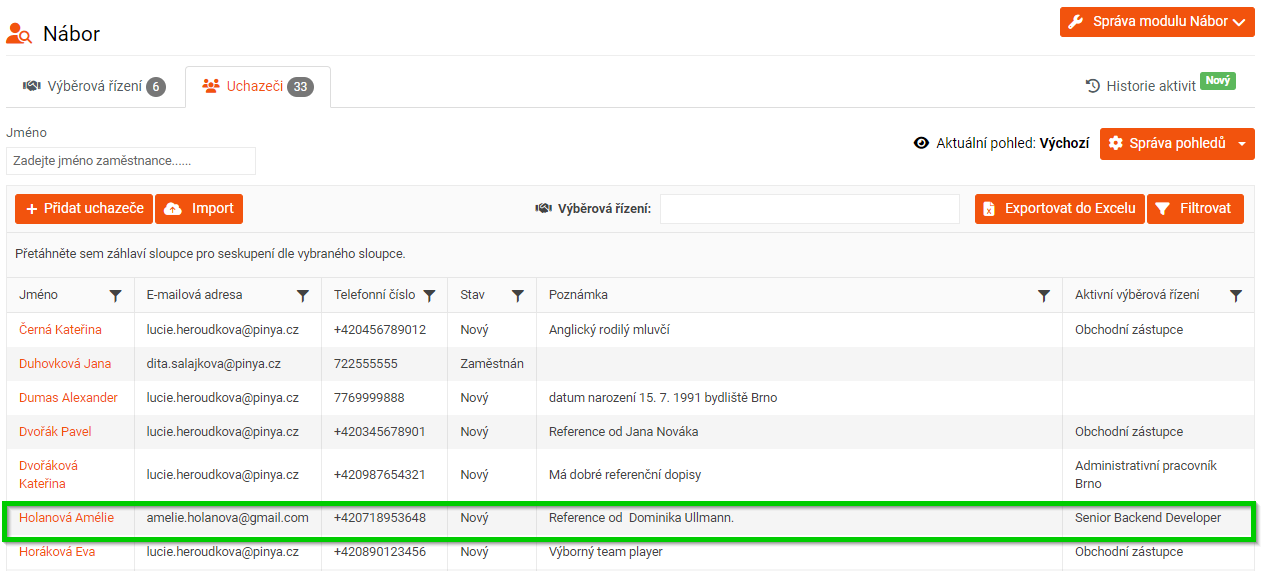
To add a new candidate, go to the main panel, click HR > Recruitment > Candidates, and then click the Add Candidate button.

A form will appear in which you fill in all the necessary information to create a new candidate card.

In the Tender, you can specify which tender you want to assign the candidate to. If you do not currently have a suitable position for the candidate, but you want to keep them in the system, leave this field blank.
Then click the Add candidate button. The newly added candidate will appear in the list.
2. Adding a new candidate to a specific tender
To add a new candidate to a specific tender, go to the HR > Recruitment > Tenders tab in the main panel.
Then select the tender to which you want to add a new candidate and click View and manage candidates and then the Add candidate > Add new candidate button.

The same form as for Adding a new candidate without having to assign them to a tender will be displayed, with the only difference being that the name of the tender the candidate has applied for is pre-filled in the Tenders section.
After filling in all the necessary information, click the Add candidate button.
For information on how to manage candidates, see the article Managing candidates.
