Checking hours reported on DPP/DPČ

The rules for entitlement to vacation for employees on DPP/DPČ can be found here.
"The right to holiday will only arise if the employee has an agreement with the employer for at least 4 weeks (i.e. 28 days) and at the same time works at least 4 times their fictitious weekly working hours. The fictitious weekly working hours for the purposes of calculating holiday will always be 20 hours per week (regardless of the hours actually worked). In order for employees on a DPP or DPČ to be entitled to holiday, they must work at least 80 hours per calendar year with the same employer. Both conditions (28 days + 80 hours) must be met simultaneously."
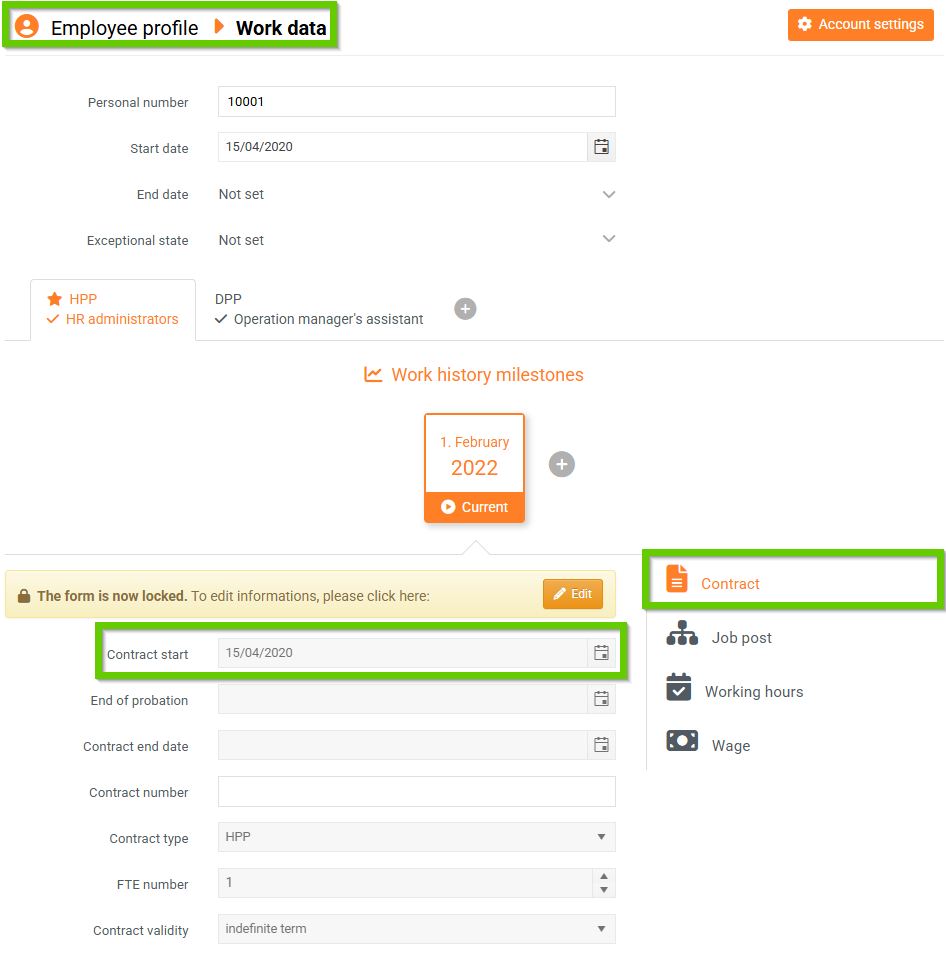
To find out when the relevant employee's agreement begins, you have 2 options:
- go to Employee profile > to the Work data tab > to the Contract tab > to the Contract start field
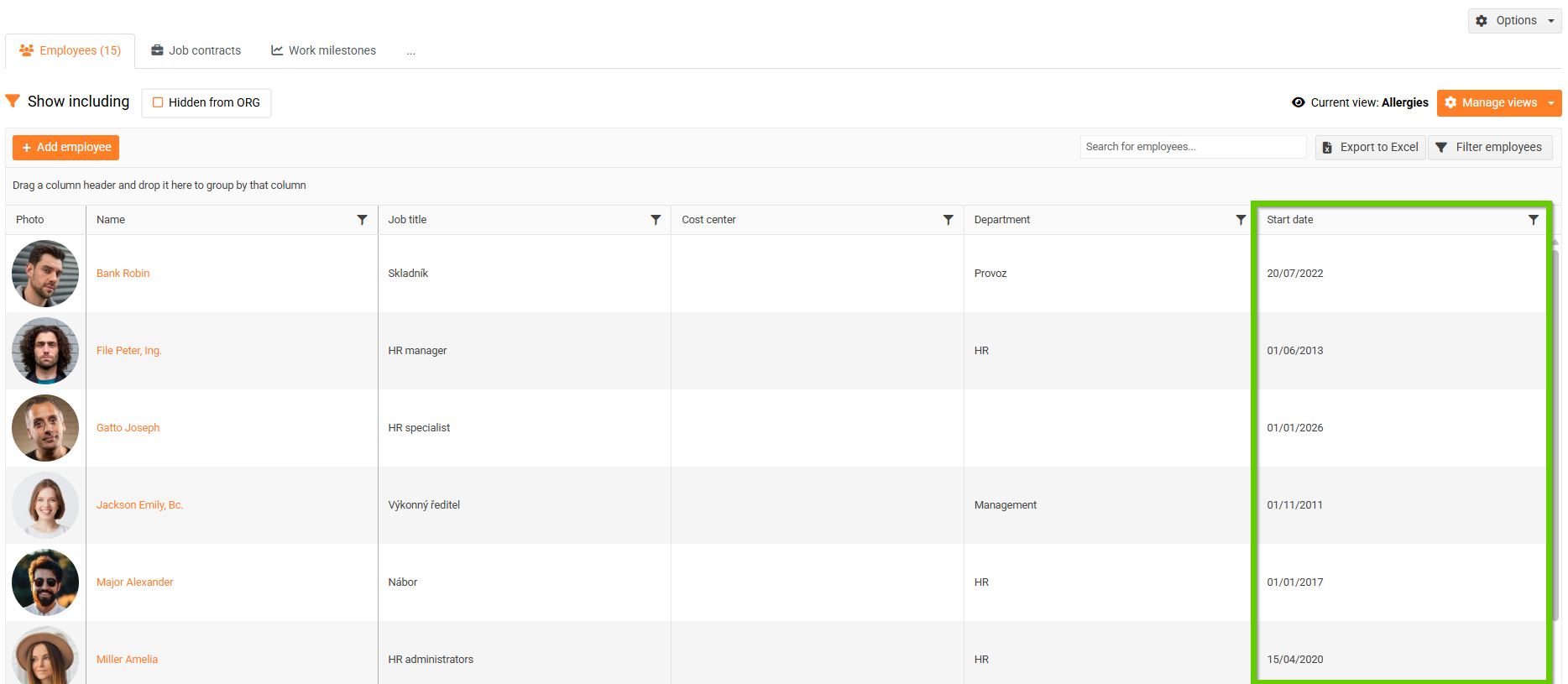
- in the main menu, go to the Employees tab > List of employees and select the view that contains the Start of employment contract column
To find out the number of hours worked in a month (or another period), you have 2 options:
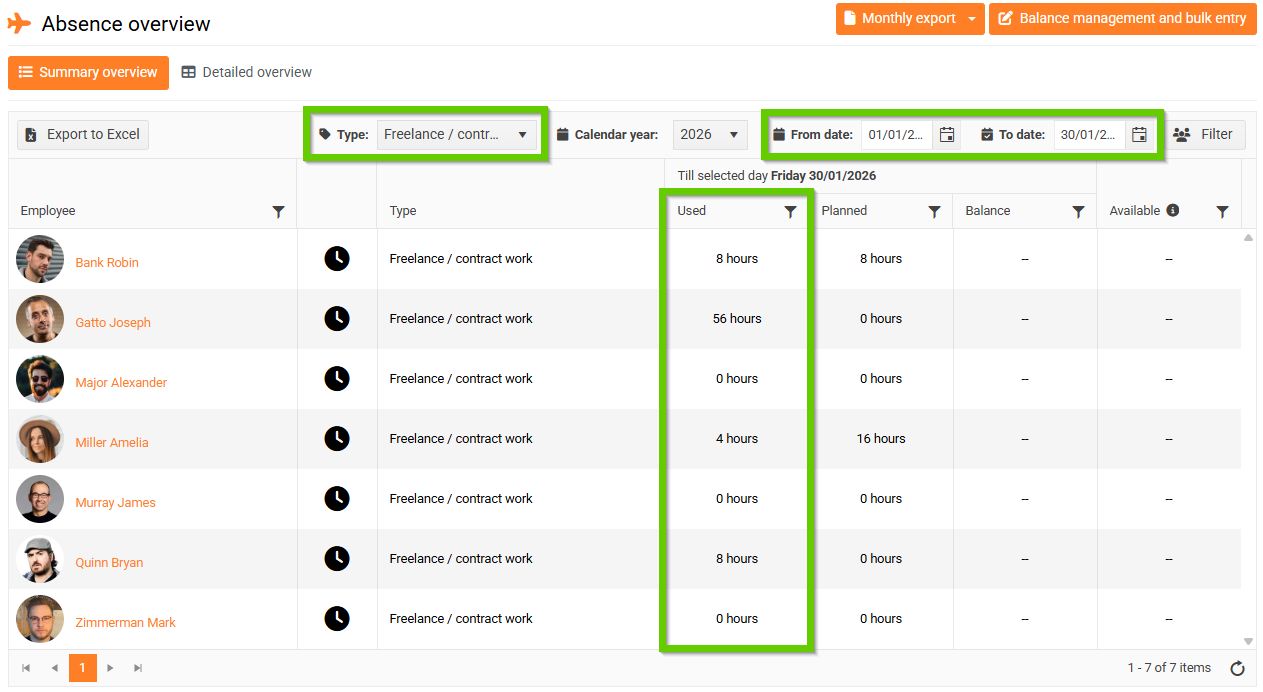
- In the main menu, go to the Attendance/absence tab > Attendance/absence overview, select the work type DPP/DPČ, and enter the desired period. You can then easily see which employees have reached the required number of hours worked for this period.
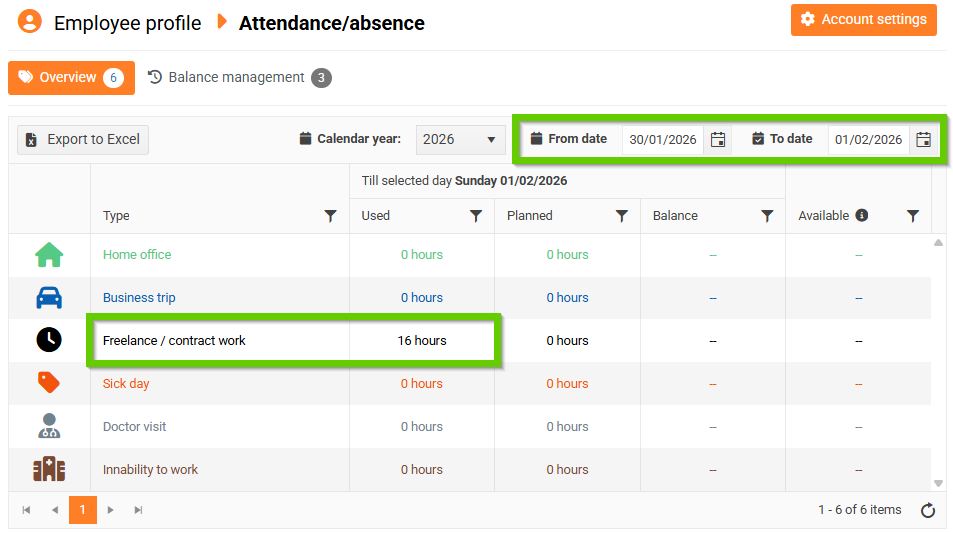
- Go to Employee profile > to the Attendance/absence tab, enter the required period in the overview, and under the attendance type DPP/DPČ Work you can see the number of hours reported for this period.