Configuring the form for adding an employee

The form for adding a new employee can be customized to your needs using configuration.
This allows you to determine which fields will be displayed and which will be required.
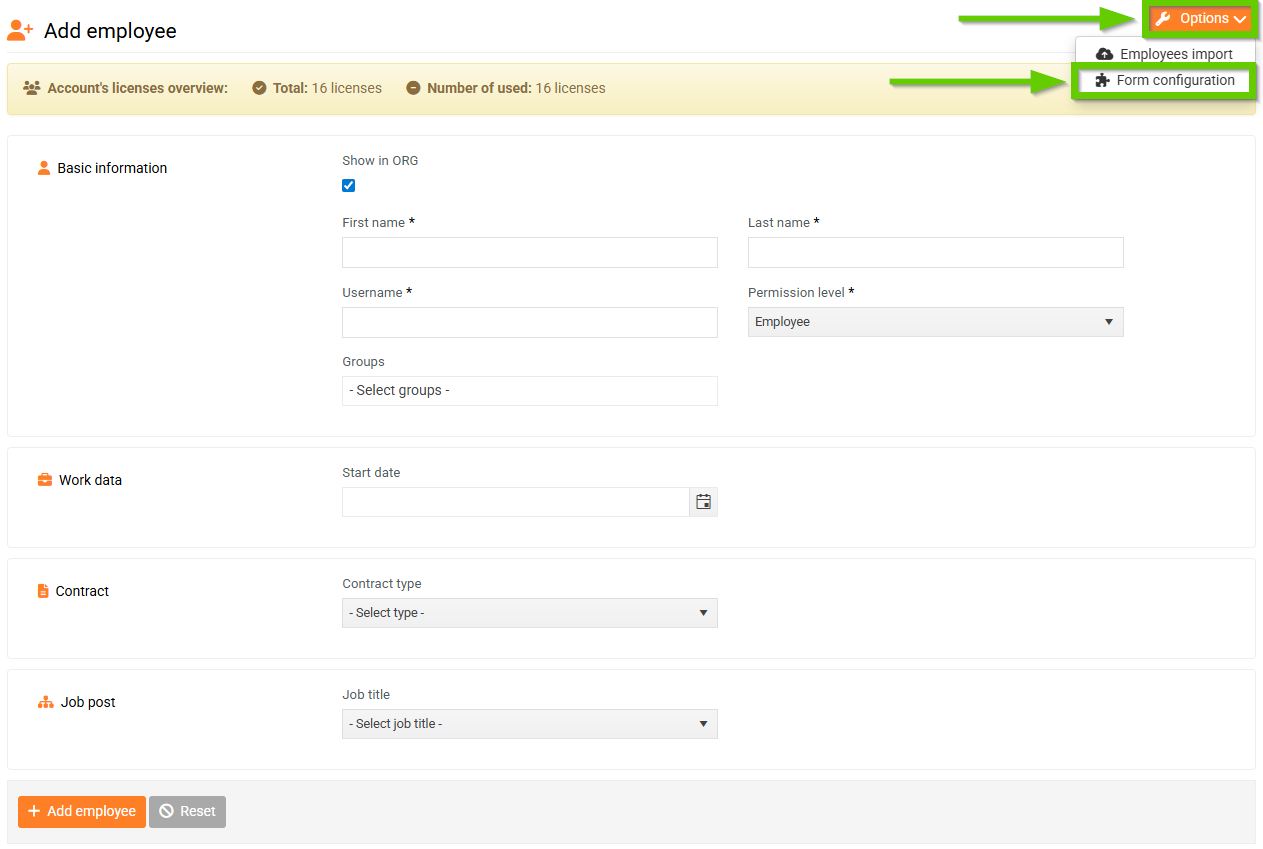
To configure the form, go to Employees > Add employee tab in the main navigation menu.
Then click the Options button and select Form configuration.
In the form settings, you will see a list of all available fields, which are clearly divided into several tabs.
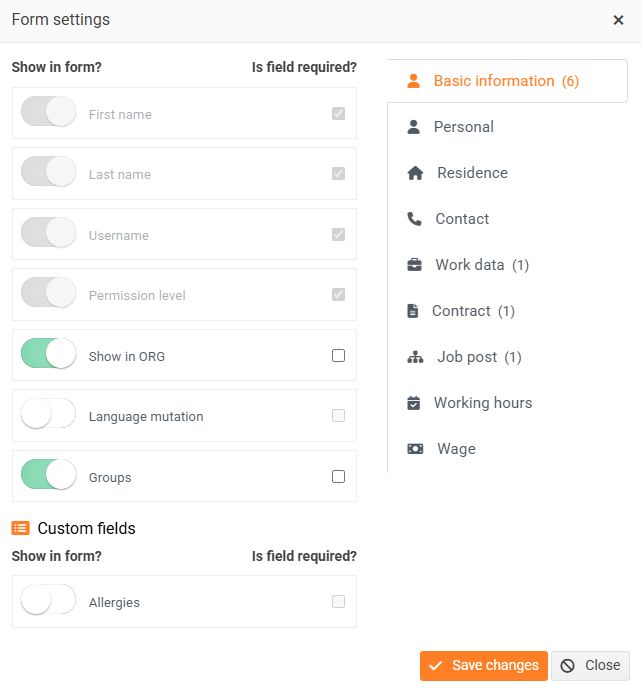
You can use the switches to turn individual fields on or off.
Use the "Is field required?" checkbox to set whether the field will be required when filling out the form.
This way you can customize the form exactly according to your requirements.
Don't forget to save your changes.
