Ongoing evaluation by employee/supervisor – Ongoing phase

After the evaluation is approved by the supervisor, the ongoing phase begins.
During it, both the employee and the supervisor:
- continuously record the percentage of achievement of set goals
- answer questions of the intermediate phase
- they post comments
Recording ongoing goal achievement – procedure
The procedure is the same for both the employee and the supervisor.
- Open the evaluation (from the Evaluations tab on the employee's profile).
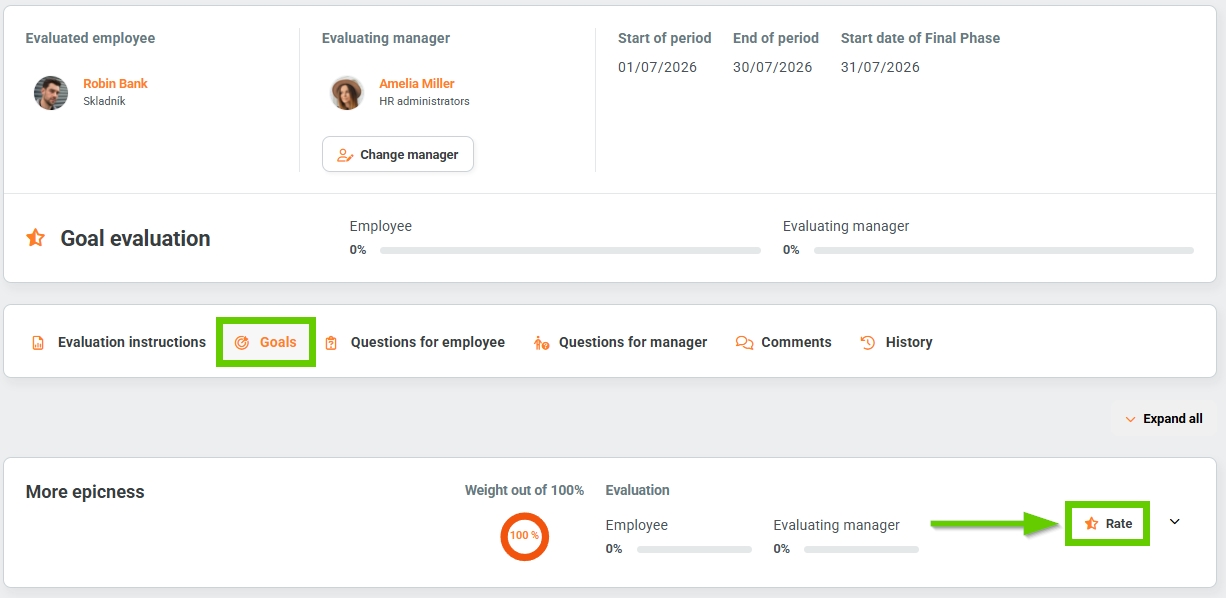
- Go to the Goals tab and click the Rate button for a specific goal.
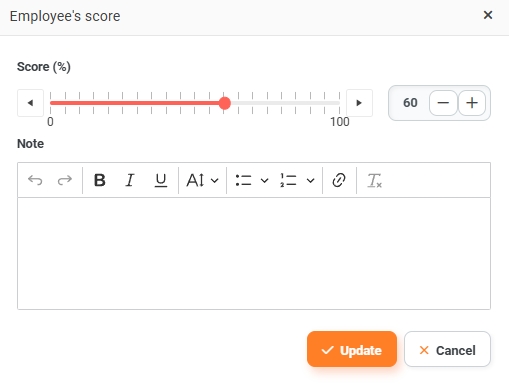
- In the window that appears, record the current status of the specific goal in percentage. You can use the slider or enter a number. You can also add a note if necessary. Save by clicking the Update button.
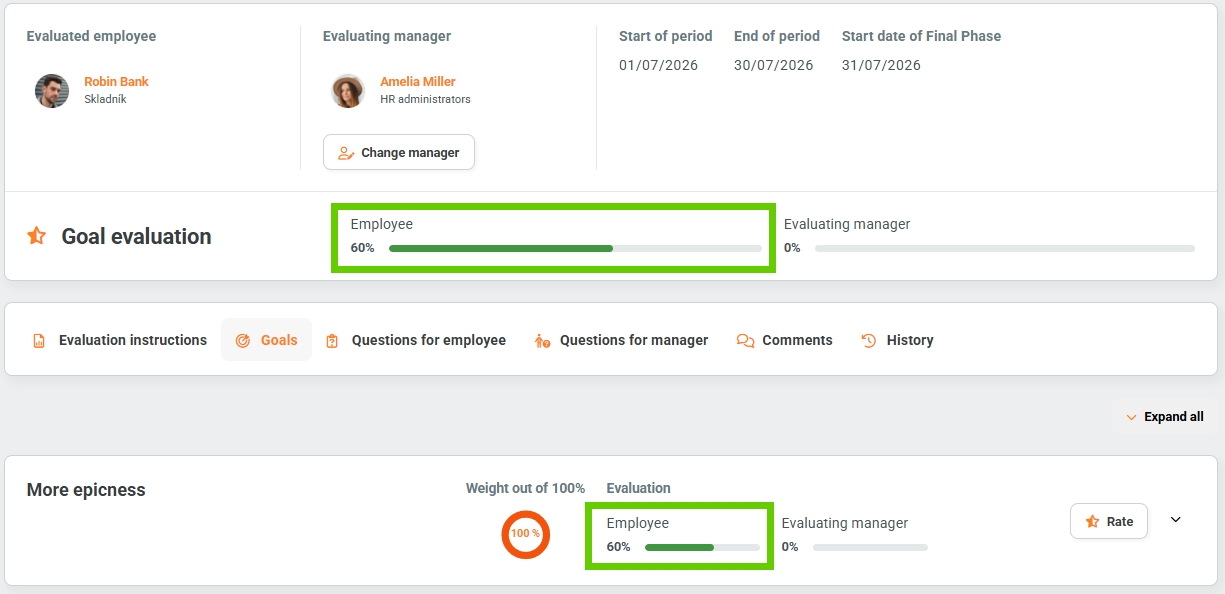
- The ongoing achievement of goals, calculated according to individual weights, is displayed graphically above the tabs.