Employee overview

The employee overview displays information about employees and their attendance and absence.
There are 2 tabs here:
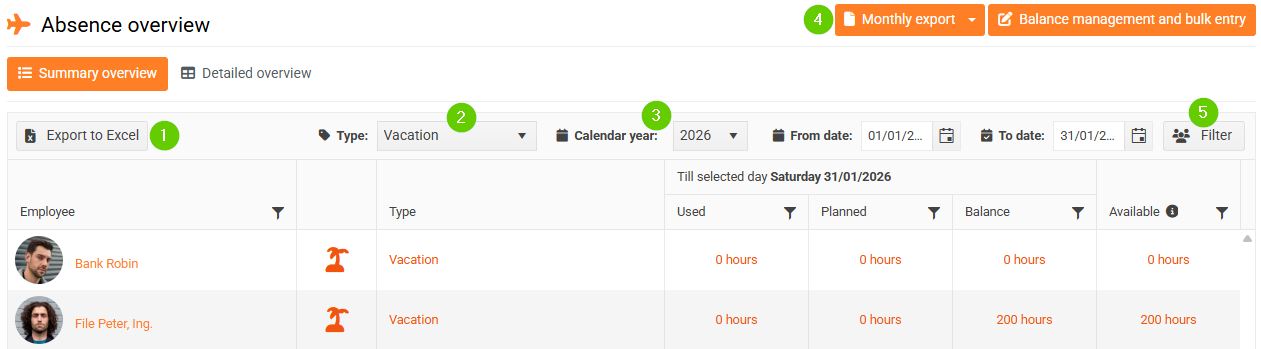
- Summary overview
- Detailed overview
1. Summary overview
Here you can find:
- List of all employees
- Attendance/absence type
- Number of vacation days used (or another type of attendance/absence)
- Number of planned vacation days (or another type of attendance/absence)
- Balance
- Number of vacation days available (or another type of attendance/absence)
The attendance/absence type (2) and calendar year (3) for which you are displaying the above balances can be selected by clicking the drop-down box in the filter panel.
The overview also allows you to filter (5) or export information:
- Export to Excel (1) = export attendance/absence overview to Excel
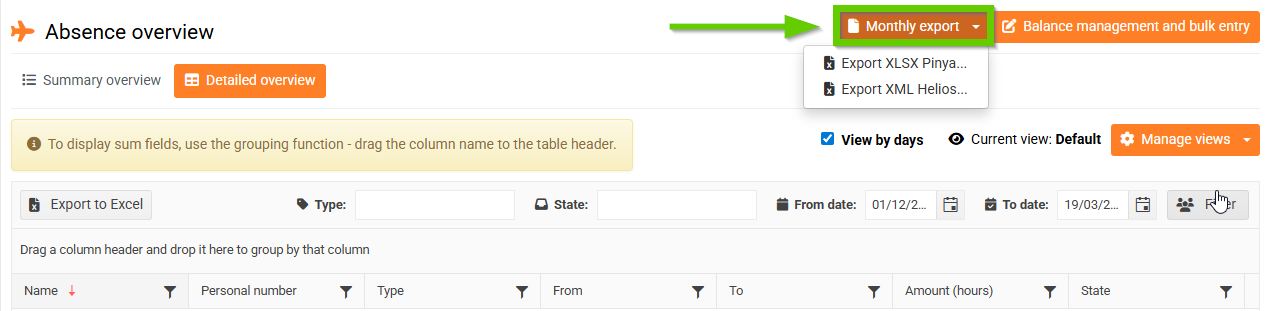
- Monthly export (4) = export of a monthly overview of attendance and all types of attendance/absence for the relevant calendar month, serves as a basis for payroll
2. Detailed overview
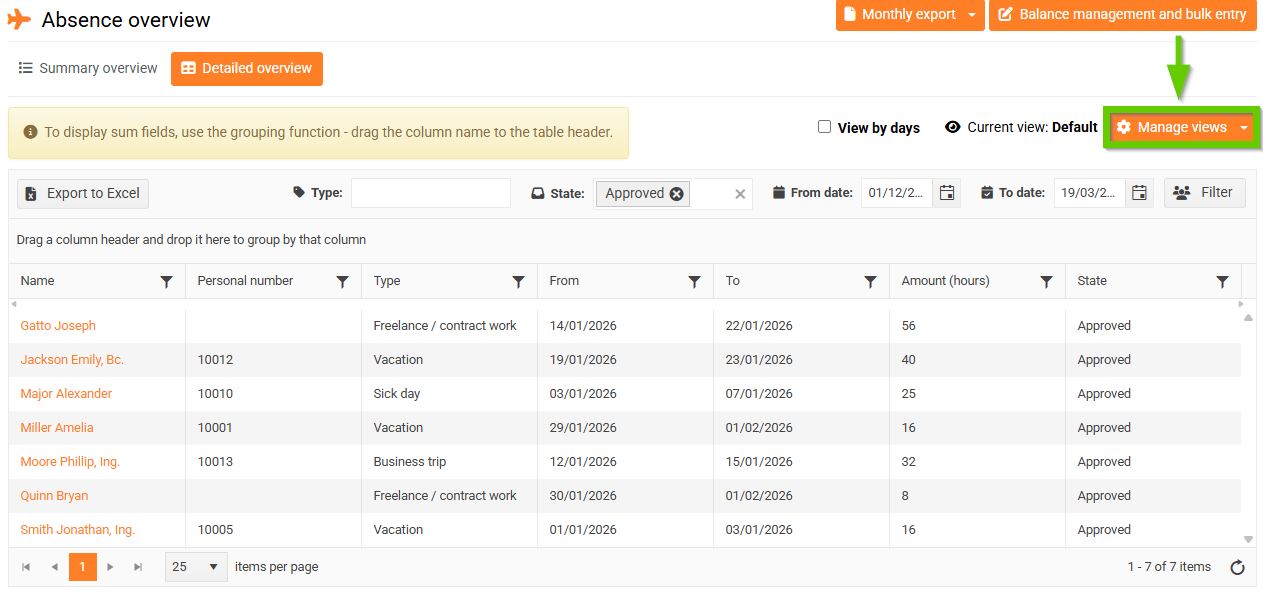
The detailed overview provides a more detailed view of individual employee attendance/absence records..
Each row represents a single employee attendance/absence record in a given period and its duration in hours.
The default view only includes approved records for the previous month. If a record spans both the previous and the following month, it is truncated in this report and includes only the days within the specified month.
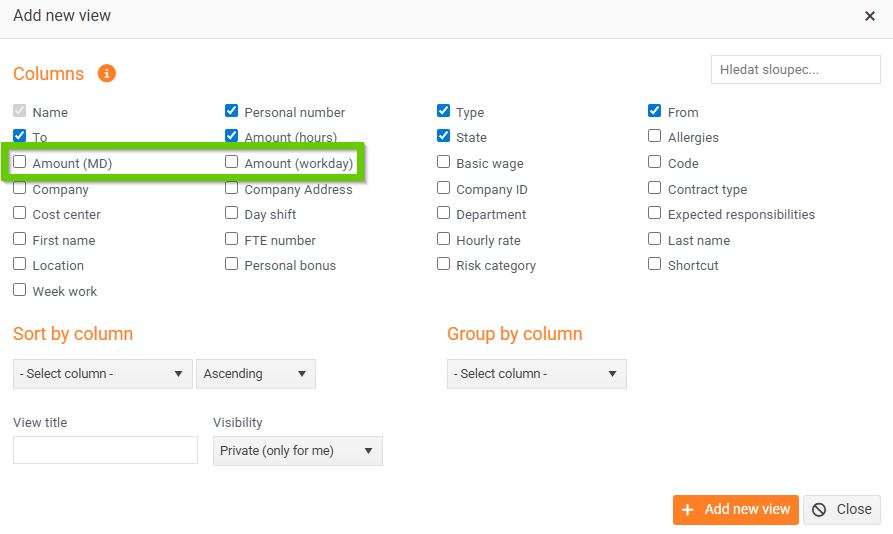
You can change the displayed columns in View management.
You can filter records in several ways:
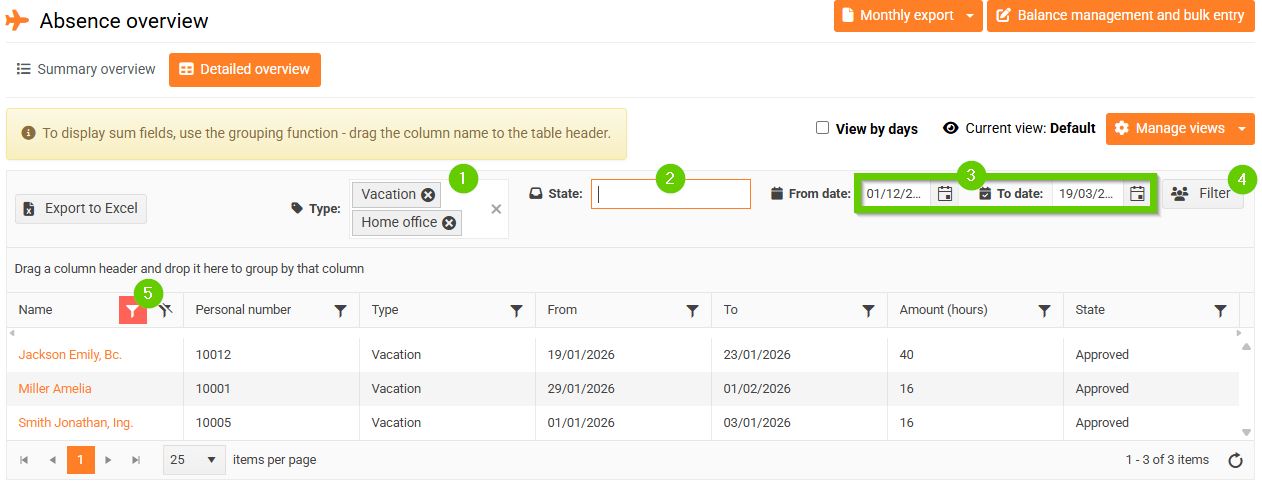
- By type of attendance/absence (1)
- According to condition (2)
- By period (3)
- Using the Filter button (4) – enter the parameters to search for the desired records (this filter allows multiple values for a single parameter at once)
- Filters in the overview header (5) – using the column header filter, only one value can be filtered at a time
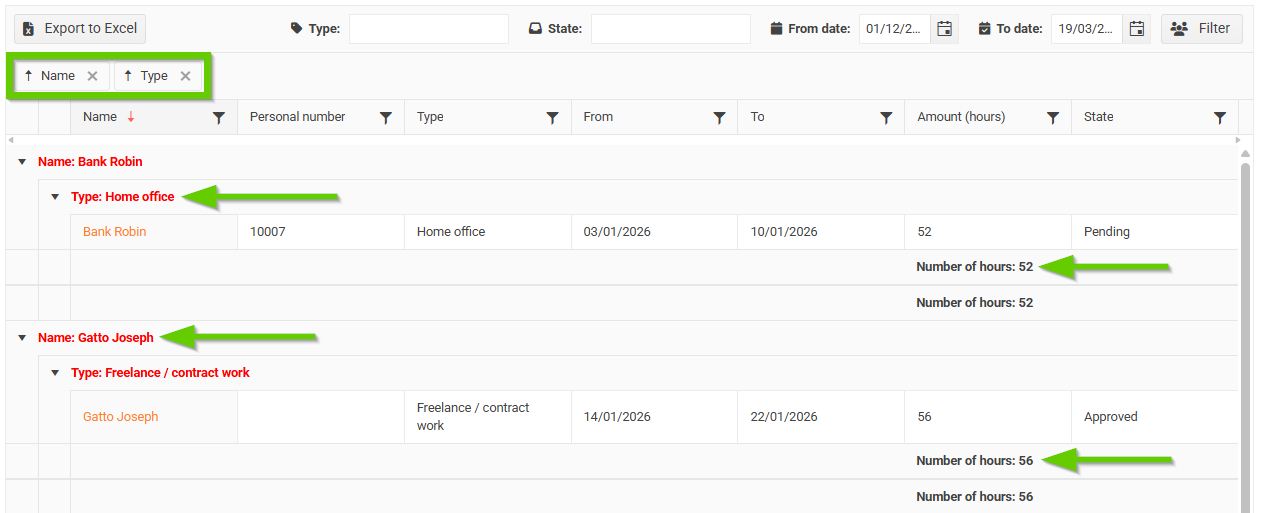
- Grouping - you can group the report by any columns
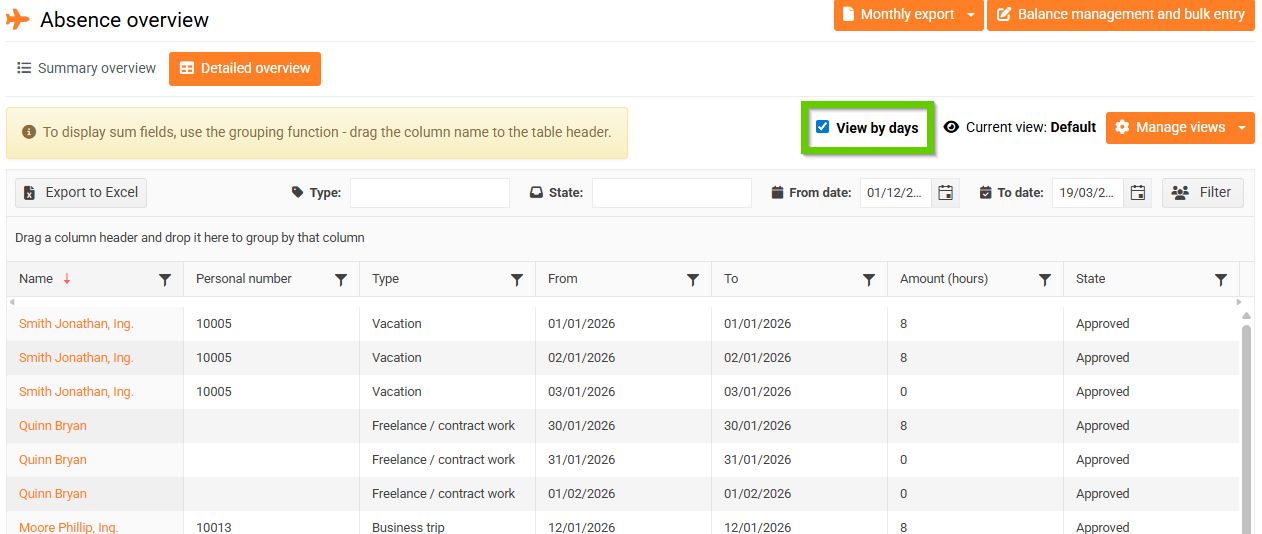
You can switch the entire overview to a daily view using the View by days checkbox. This will spread an employee's absence of several days across several lines.
You can export the entire report.