Managing existing regulations

To manage internal regulations, go to the tab in the main navigation menu.
HR > Internal regulations > Overview of internal regulations.
Creating a new internal regulation
To create a new internal regulation, click the Add internal regulation button. A pop-up window will open in which you can fill in the basic information about the regulation, upload attachments and links to it, and set the targeting and publication of the regulation.
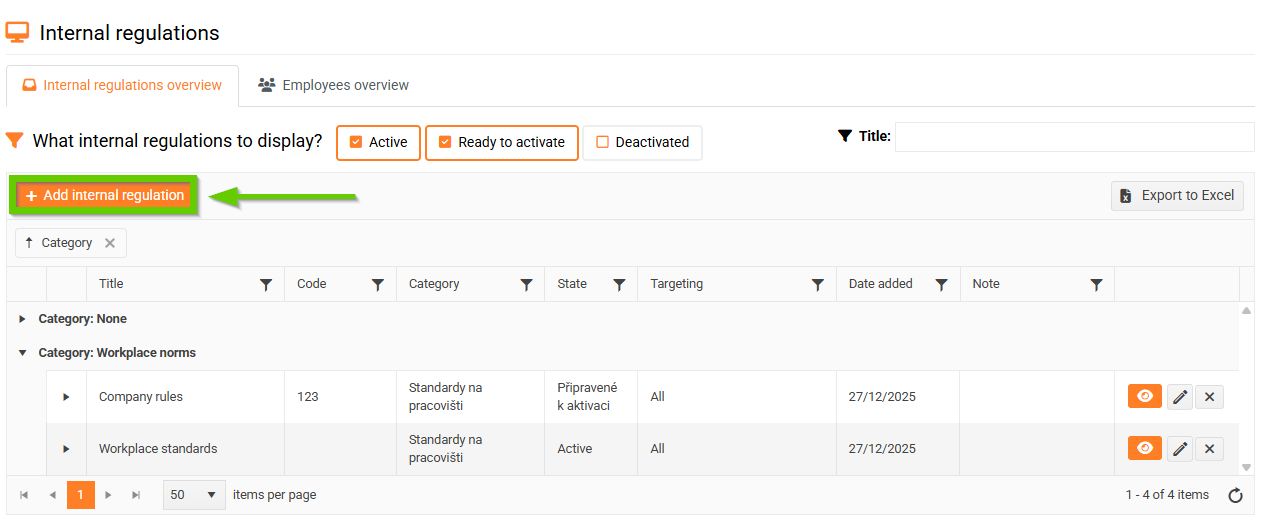
For detailed instructions, see the article Creating a new regulation.
Modification of an existing internal regulation
- Click on the pencil icon to open the details of the selected internal regulation.
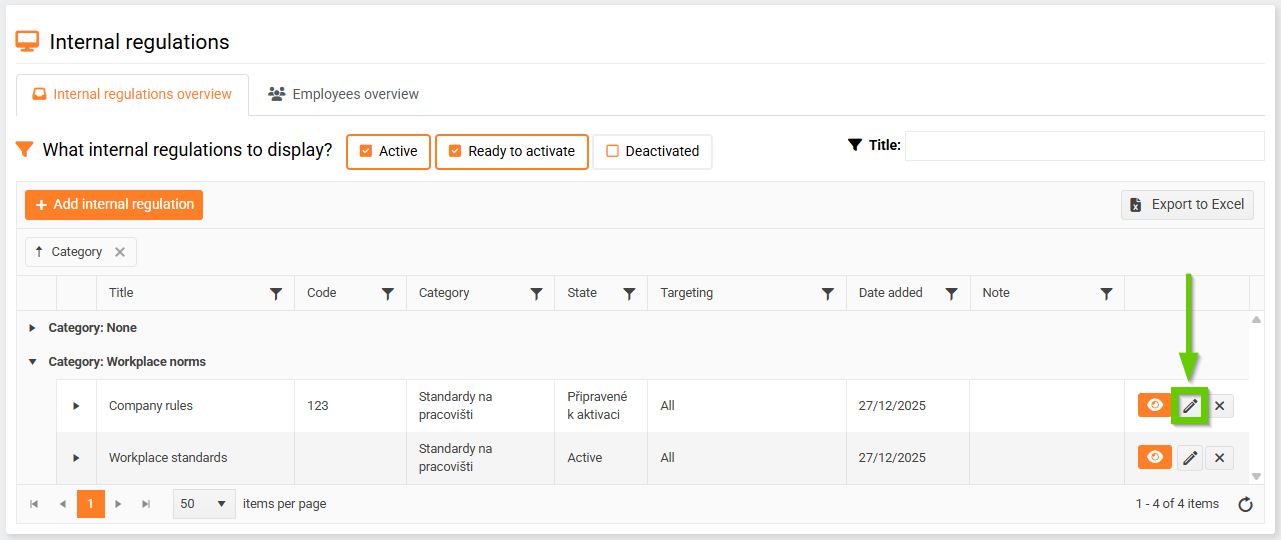
- Make the desired changes.
- Save using the Save Changes button.
If the regulation has already been activated with the "Employee must familiarize himself with the regulation" checkbox checked, it is no longer possible to edit the content of the regulation.
Copying an internal regulation
- Select the internal regulation you want to copy and click the pencil icon next to it.
- A window with details of the selected regulation will appear, click the Copy button here.
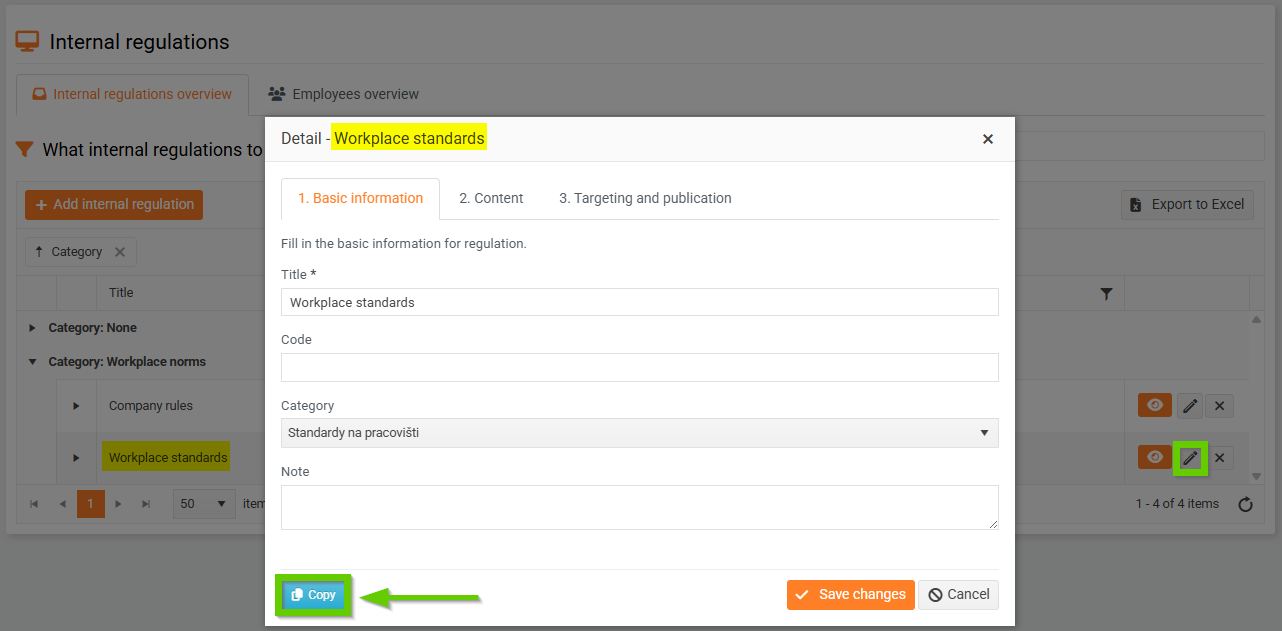
- In the opened window, enter the name of the new regulation and select which items you want to copy. Then click the Copy button.
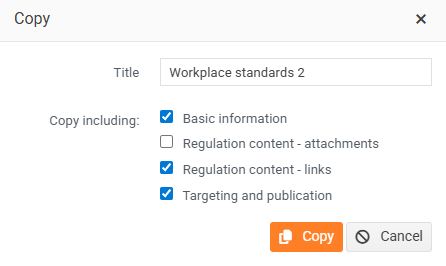
- The opened window will be pre-filled with the information you selected to copy; proceed as you would when creating a new regulation.
Deleting an internal regulation
- Click the cross icon next to the regulation you want to delete.
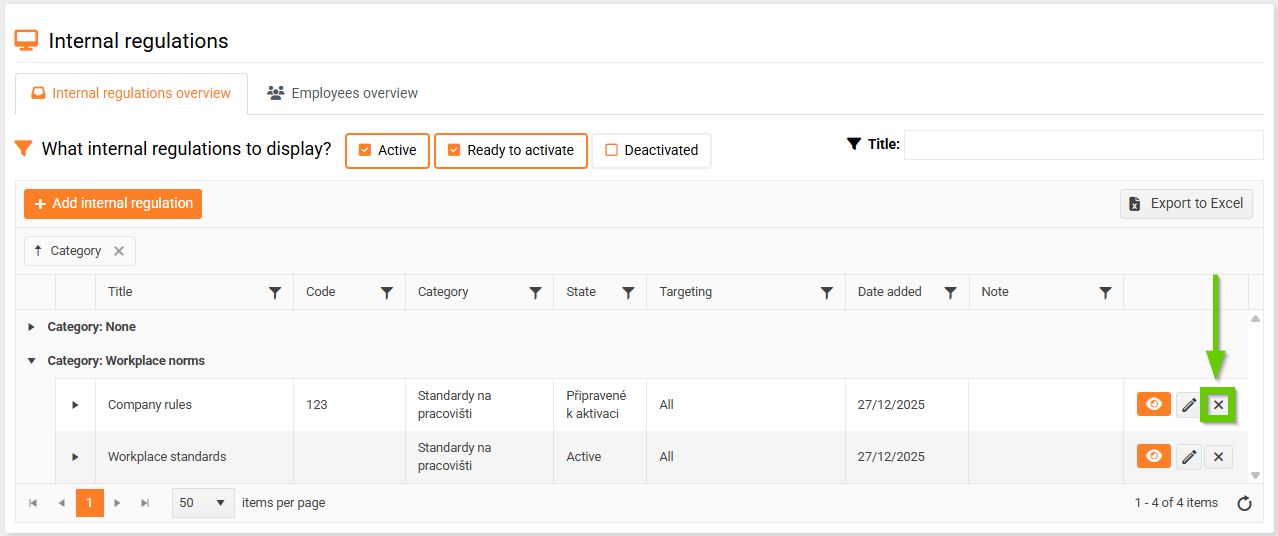
- A warning will appear asking if you really want to delete the selected regulation.
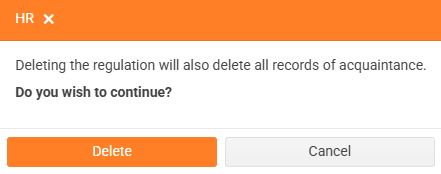
- If you wish to continue, confirm by clicking the Delete button.
