Importing goals

You can add goals to PINYA HR in bulk via data import.
Goals are imported into already created assessments for individual employees.
Importing goals is only available to users with the Manage Assessment Templates permission.
To bulk import goals, go to Employee Evaluations and click the Evaluation management button and
select Import goals.
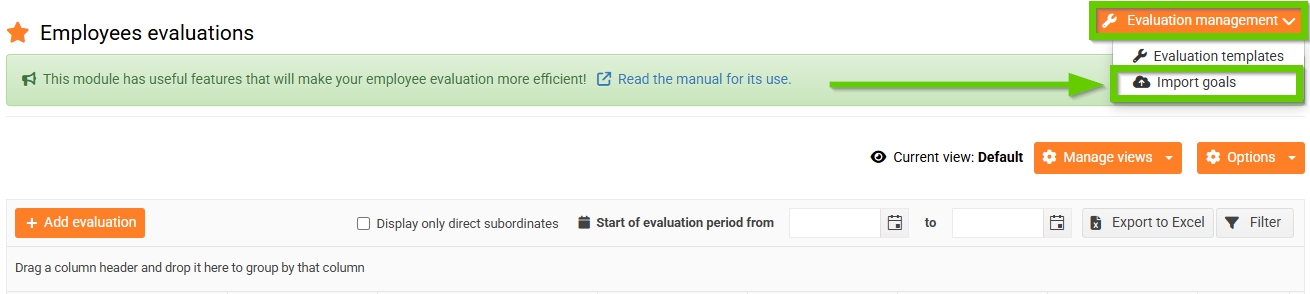
Then follow the procedure given above.
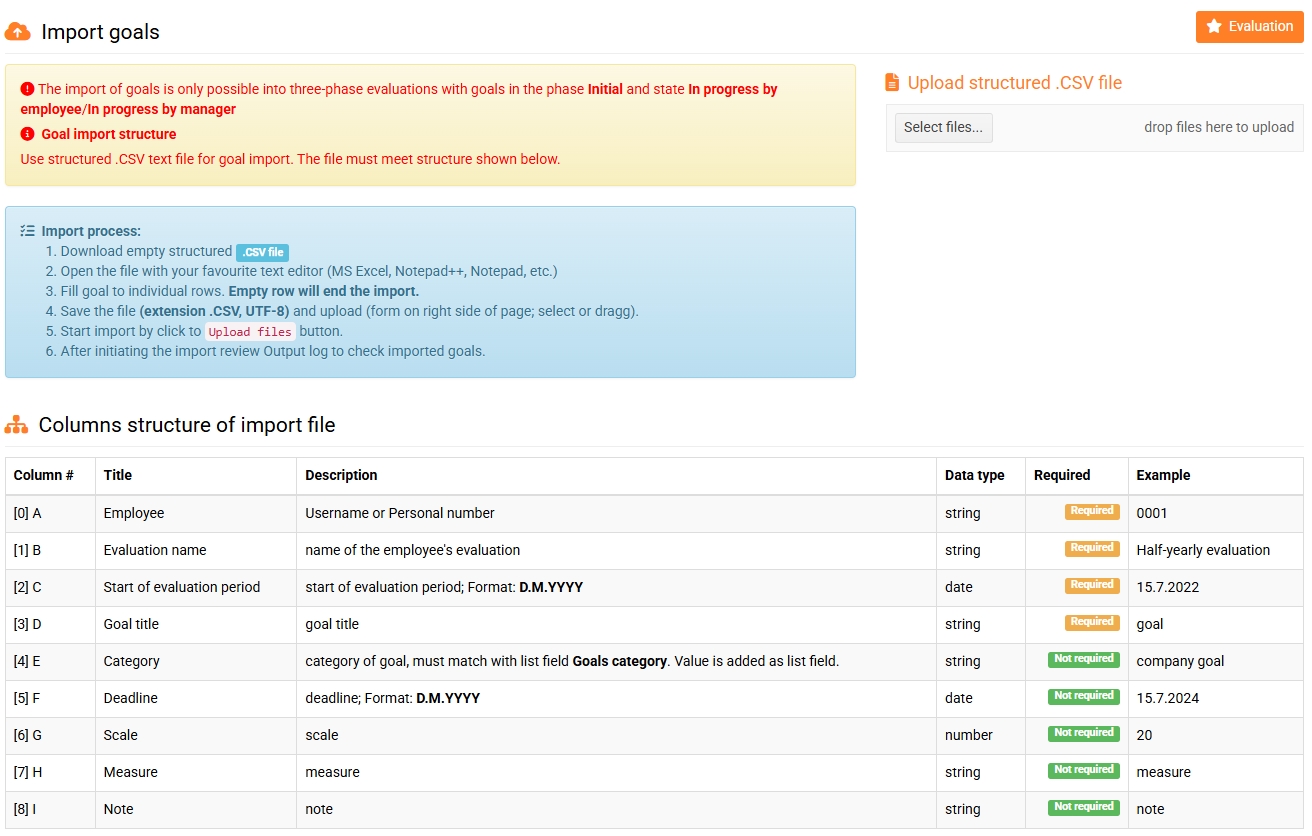
Tips for filling out the import file:
- Column A identifies the employee for whom you are importing the target. Enter their username or personal number.
- in column B, fill in the Evaluation name, you can find it in the evaluation overview. (Note, this is not the name of the Evaluation Template, but of a specific evaluation created for a specific employee.)
- in column C, fill in the Start date of the evaluation period, you can also find it in the evaluation overview.
- Column A identifies the employee for whom you are importing the target. Enter their username or personal number.
- in column B, fill in the Evaluation name, you can find it in the evaluation overview. (Note, this is not the name of the Evaluation Template, but of a specific evaluation created for a specific employee.)
- in column C, fill in the Start date of the evaluation period, you can also find it in the evaluation overview.
Importing goals is only possible into three-phase assessments with goals in the Initial phase and the status is Completion of the evaluation by the employee.
