Recruitment management

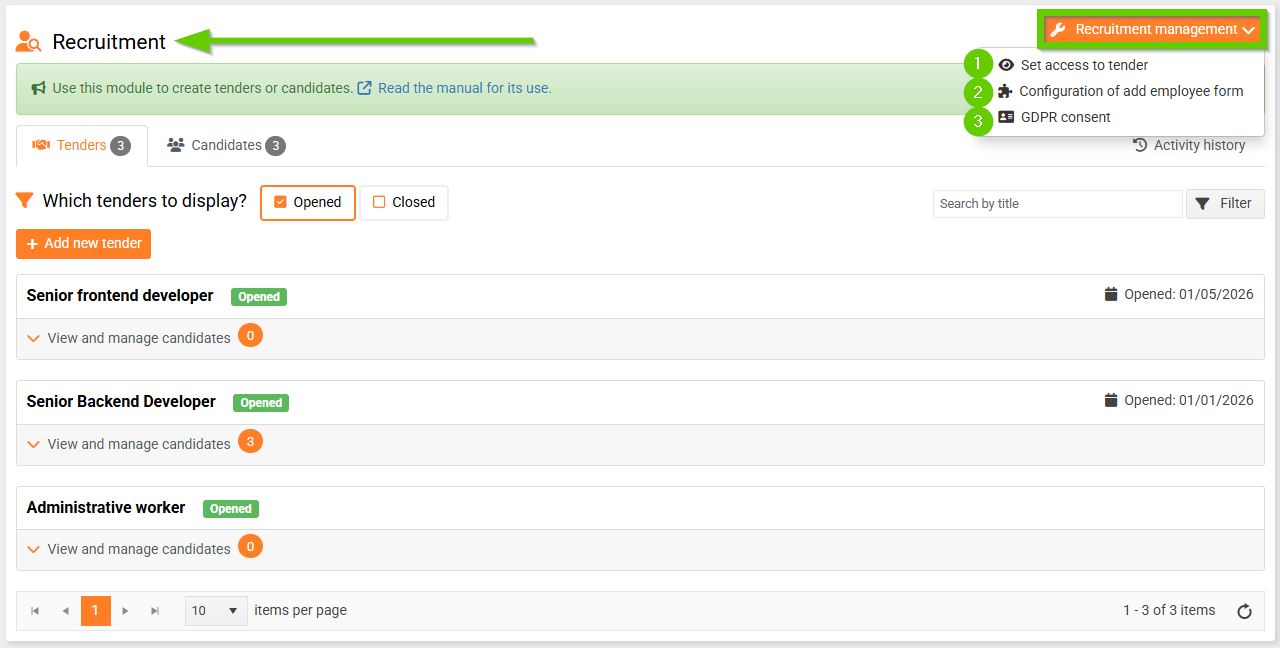
To manage recruitment, go to the HR > Recruitment tab in the main dashboard.
Then click the Recruitment management button and select one of the options:
- Set access to tender
- Configurion of add employee form
- GDPR consent
1. Set access to tender
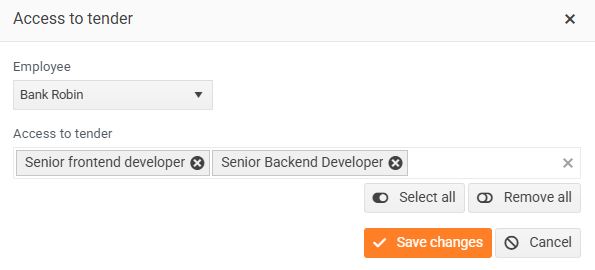
In the window that opens, select the employee and the tenders to which you want to grant access.
By clicking the Select All button, you will add the selected employee access to all selection procedures (both open and closed). By clicking the Remove All button, you will remove all selected selection procedures. Then save the changes.
2. Configuration of add employee form
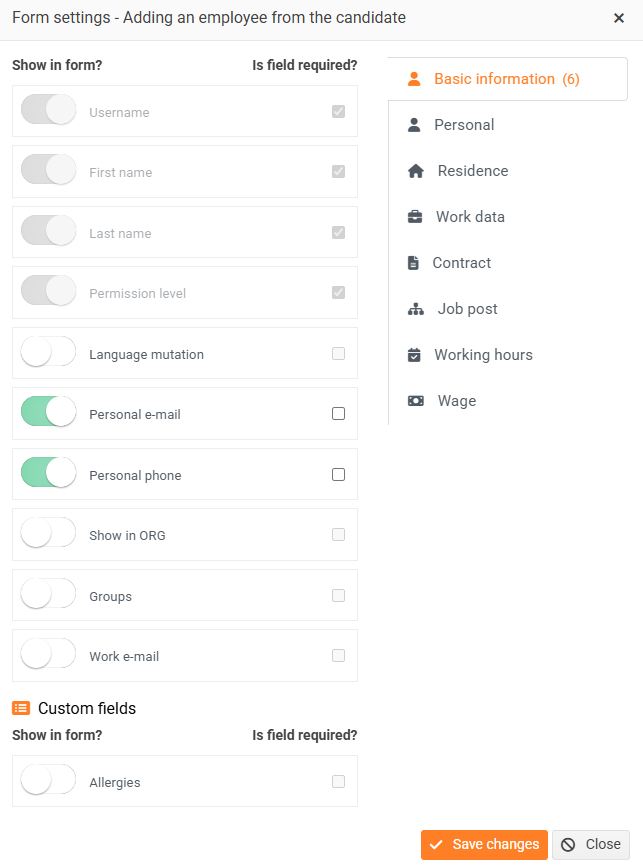
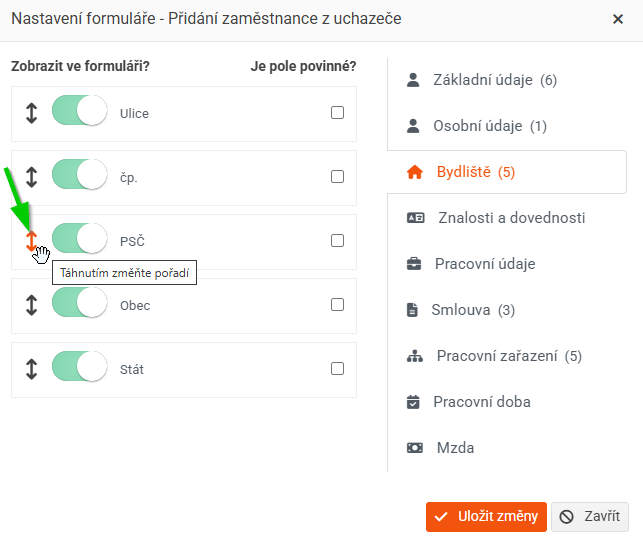
In the form that opens, you can use the toggles to add or remove fields for adding the applicant to the staff. The fields are divided into several tabs - Basic information, Personal, Residence, Work data, Contract, Job post, Working hours and Wage.
If you want any of the fields on the form to be mandatory, check the Is field required? checkbox next to it.
The Username, First Name, Last Name, and Permission Level fields are enabled and marked as required by default. You cannot change this setting.
You can change the order of individual fields, except for those on the Personal tab. Simply click the arrow next to the field you want to move and drag it to the desired location.
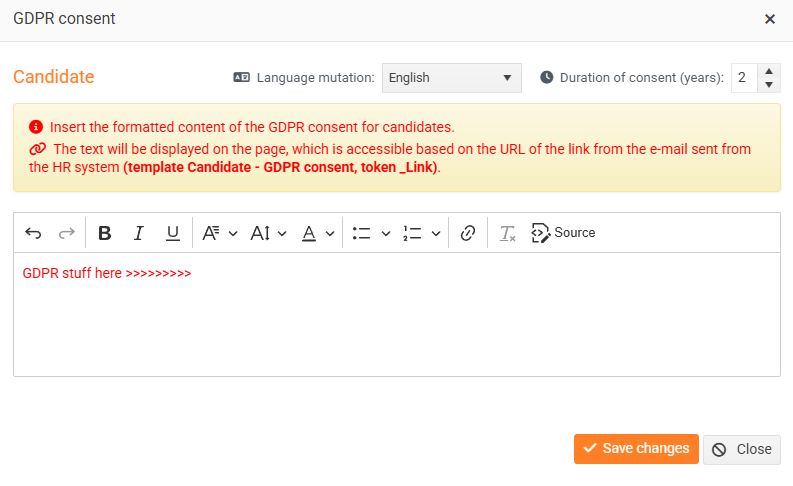
3. Consent to GDPR
In the window that opens, you can edit the wording of the GDPR consent, or set its language versions and the duration of the consent.