Registration of DPP and DPČ contracts

For an employee with a DPP/DPČ contract, create a separate contract (main or parallel, as needed):
Go to Employee profile > Work data and create a new milestone.
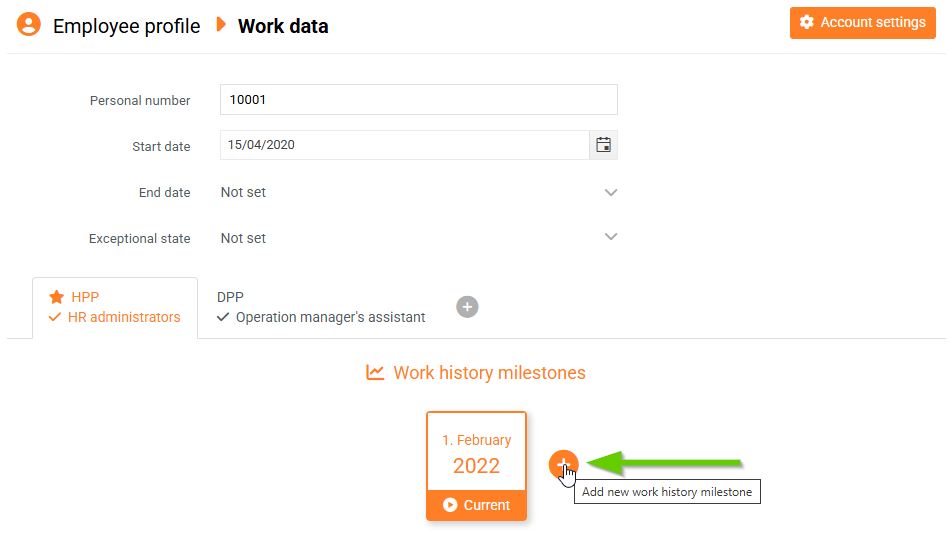
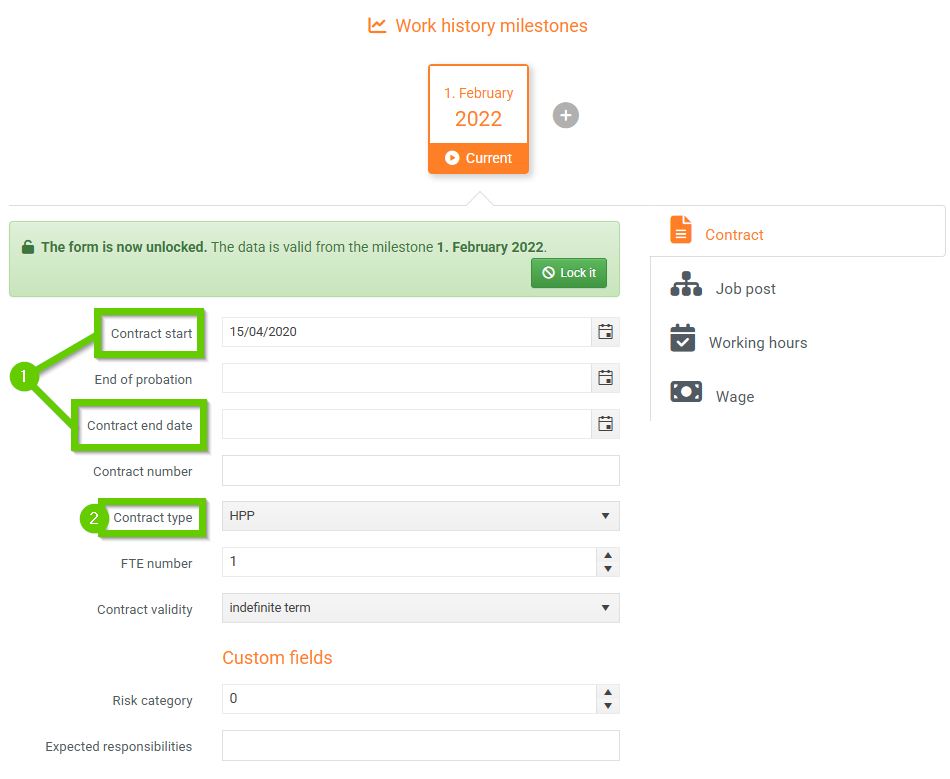
On the Contract tab of the newly created milestone, set:
- Start and end of employment contract - as needed
- Contract type - DPP or DPČ
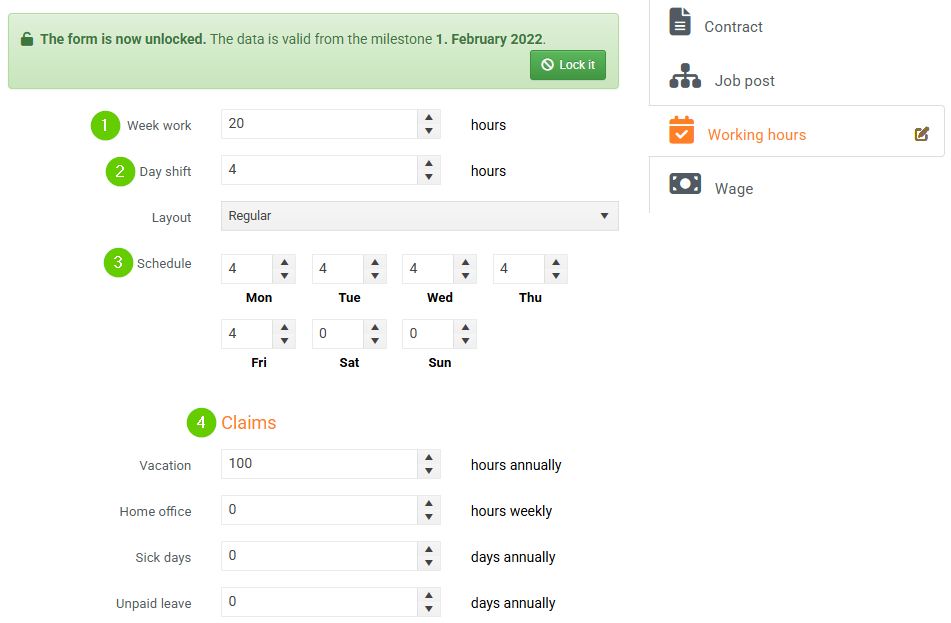
On the Working hours tab, set:
- Week work – fill in as needed; this information is for informational purposes only and does not affect reported work or vacation entitlement
- Day shift - 0
- Schedule – 0 on all days (the employee will report work manually to track worked hours)
- Claims – can be filled in, but the values do not affect how many hours the employee can actually draw; this must be set manually in balances
If the form is locked, click the Edit button first. You can then modify the fields.
