Evaluation - the supervisor responds and the employee sees it

A scenario where an employee is evaluated by their supervisor and the employee can see this evaluation.
1. Template settings
Only questions for the manager are added in the template for which the Visible to employee switch is active.

For detailed information on how to create a new template, see the article Creating a new template.
2. Evaluation process
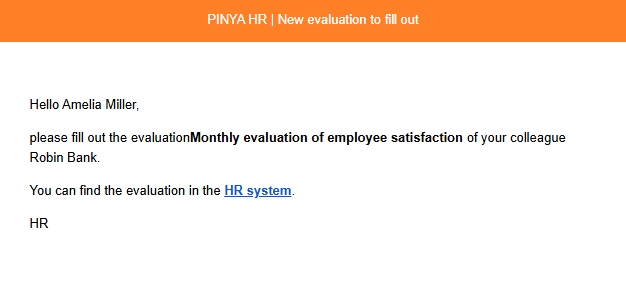
- The supervisor who is supposed to complete an employee evaluation will receive a notification to their email address containing a link that will redirect them to the evaluation page.
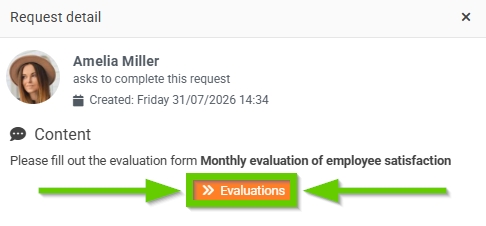
- At the same time, a request for the supervisor to complete the evaluation is automatically created. Clicking the Detail button opens the request details.

If they click the Evaluations button in the request details, they will be automatically redirected to the evaluations page.
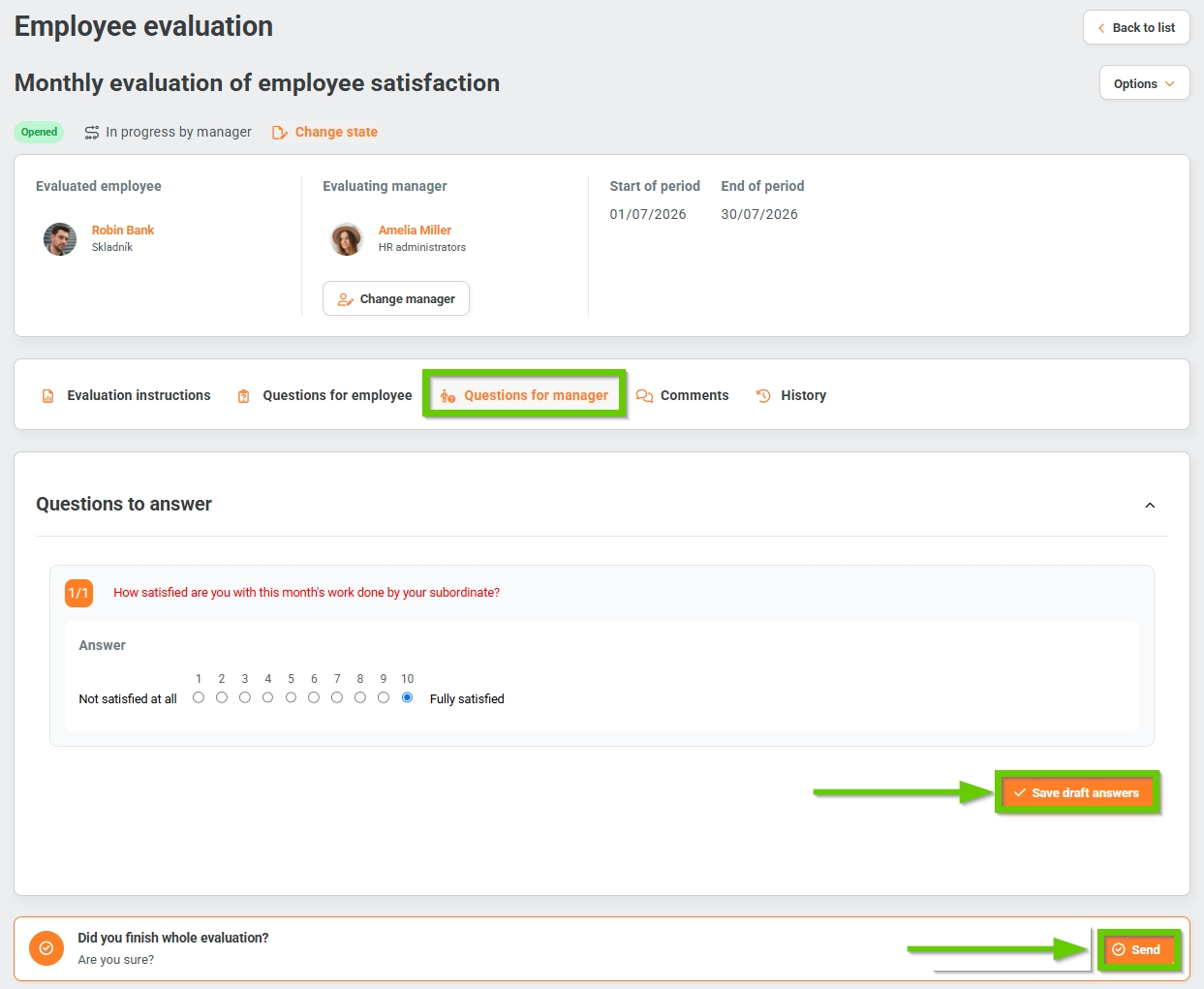
- The Questions for employee tab remains empty in this case.
- On the Questions for manager tab, they answer the questions. If they click the Save draft answers button, they can return to the evaluation at any time and edit or add to it. The employee to whom the evaluation applies can also see these questions and the answers to them.
- On the Comments tab, you can add a comment or add a featured comment, i.e. it will always appear first - see the Top comment article.
- On the History tab, the system automatically records all actions related to the given assessment.
- After completing the entire evaluation, the supervisor clicks the Send button. A notification appears that must be confirmed. The evaluation is in the Closed phase and in the Completed status.
