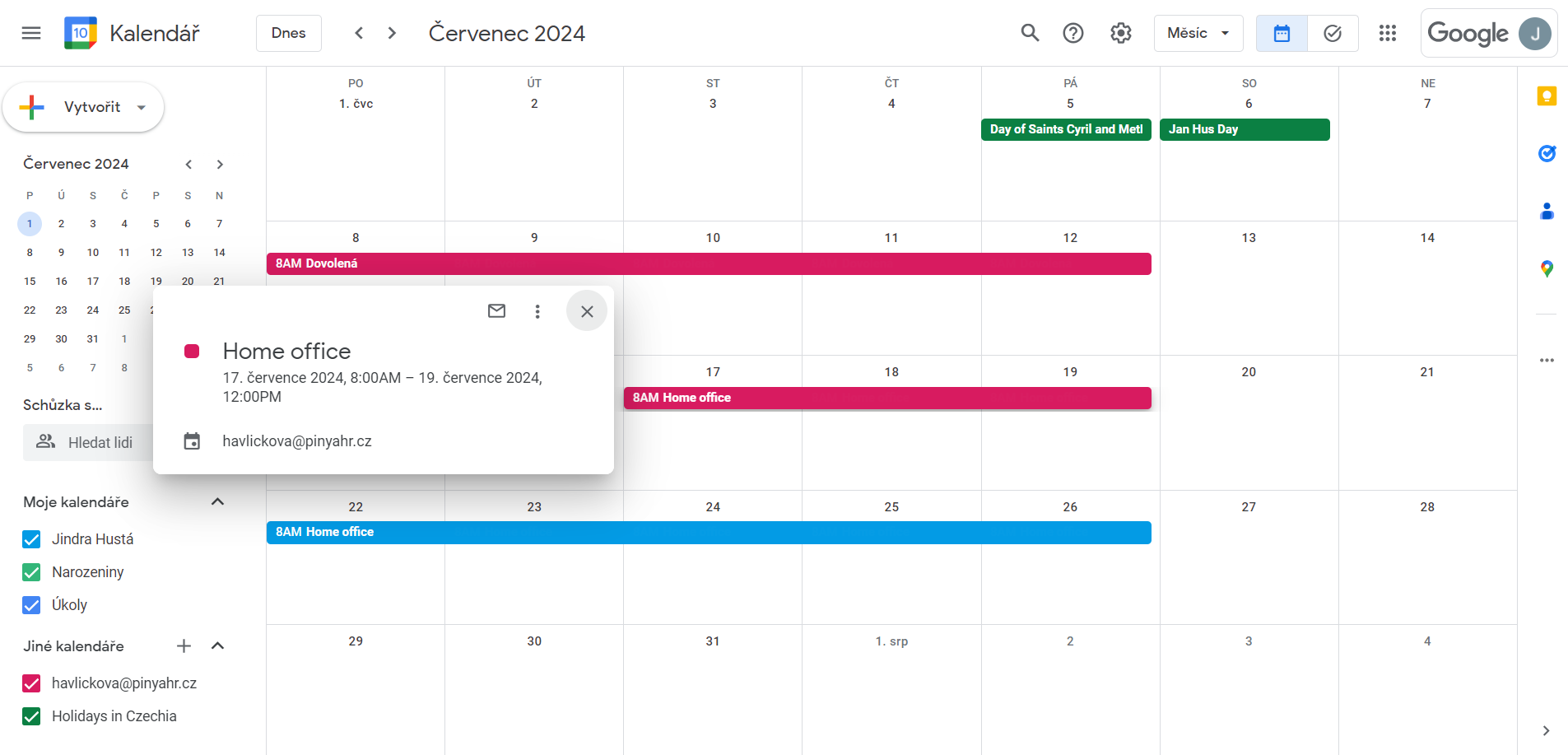
Synchronization with Google Calendar

This module is used to record employee events into their Google calendar.
All event types that have the Sync to Google flag are being overwritten.
An employee enters an absence type event in PINYA HR (e.g. vacation, home office, etc.)
and the system will take care of adding the event to his Google calendar.
Using the module
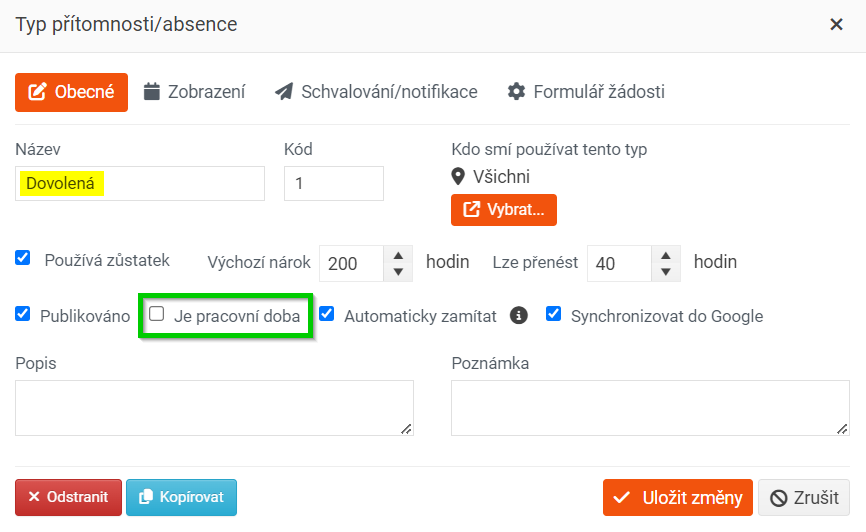
On the main panel, go to Attendance/absence > Attendance/absence types management, then select the absence type you want to synchronize with Google Calendar and check the Sync to Google checkbox.
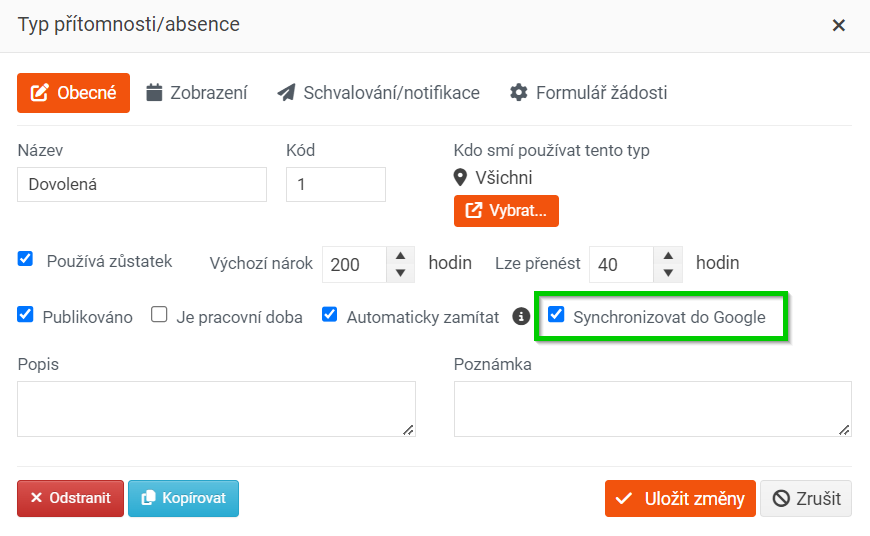
Absences entered in this way are entered into the employee's Google calendar upon approval.
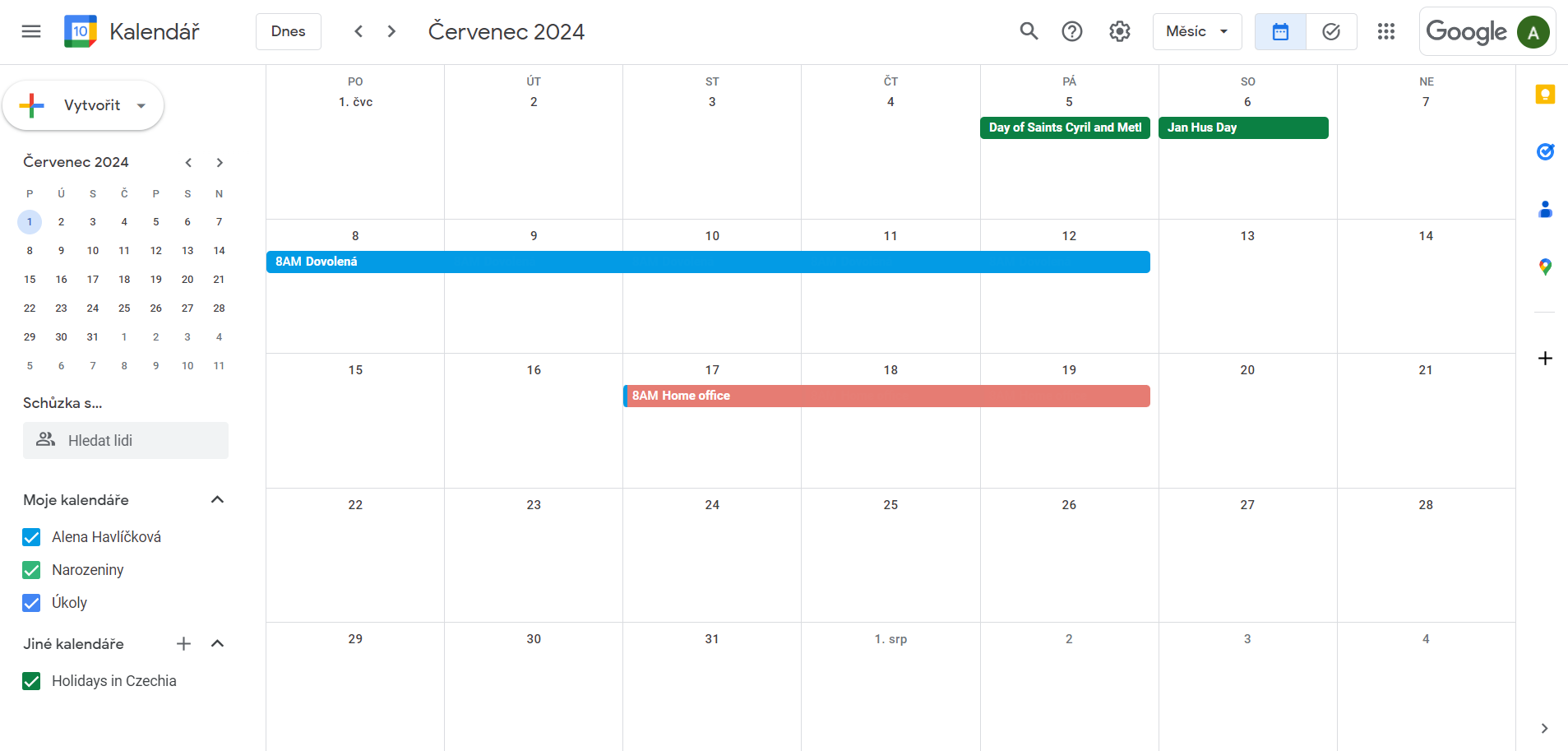
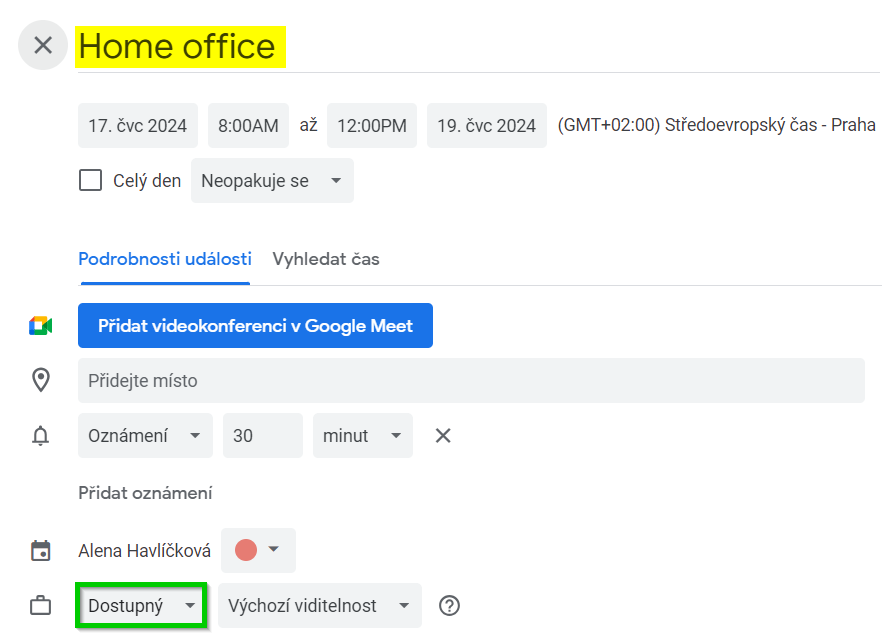
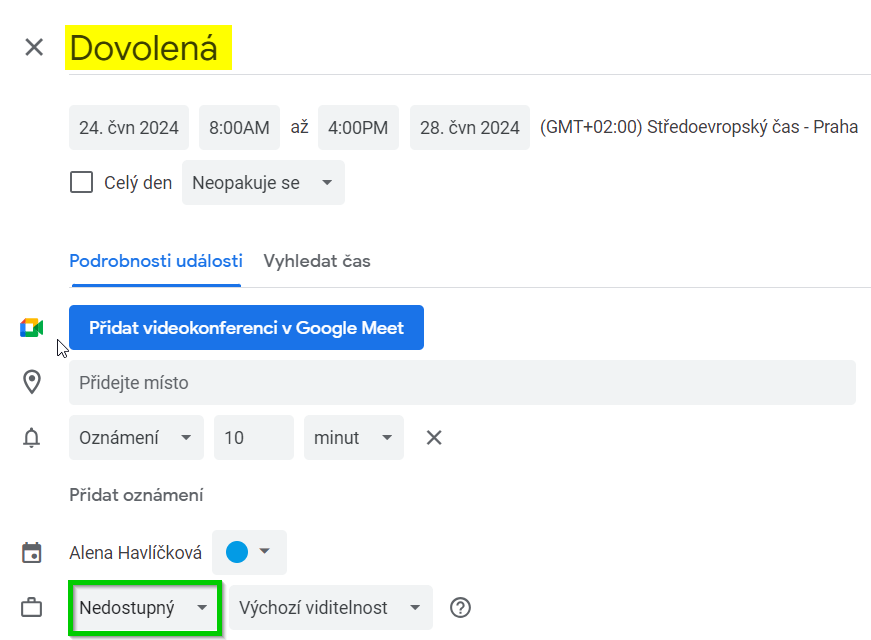
Checkbox 'Is working hours'
1. If the checkbox is checked, Is working hours in absence type = Available in Google Calendar.
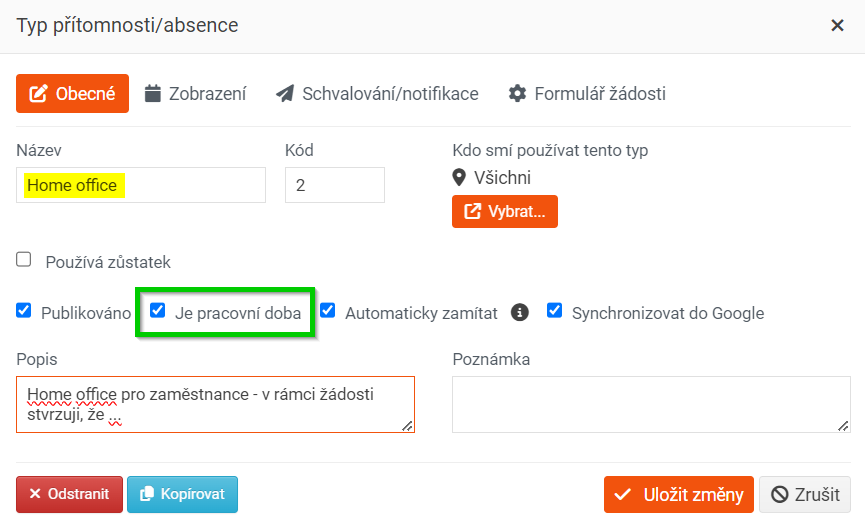
2. If the checkbox Is working hours empty in the absence type = Unavailable in Google Calendar.
Change/cancel absence in PINYA HR
Any changes or cancellations of absence in PINYA HR are immediately reflected in the Google calendar, i.e. the absence is automatically changed or canceled there.
Change/cancel absence in Google Calendar
Any changes or cancellations of absences in the Google calendar entered by the PINYA HR system are not retroactively recorded in PINYA. I.e. if an employee deletes a vacation in the Google calendar, they must also delete it in PINYA.
Viewing Google Calendar from another user's perspective
If a Google calendar is shared between multiple employees, they will see not only their own absence records, but also the absence records of their colleagues. The records are color-coded.