Adding a candidate to the tender via a public form

The candidate can add themselves to the selected tender via a public form.
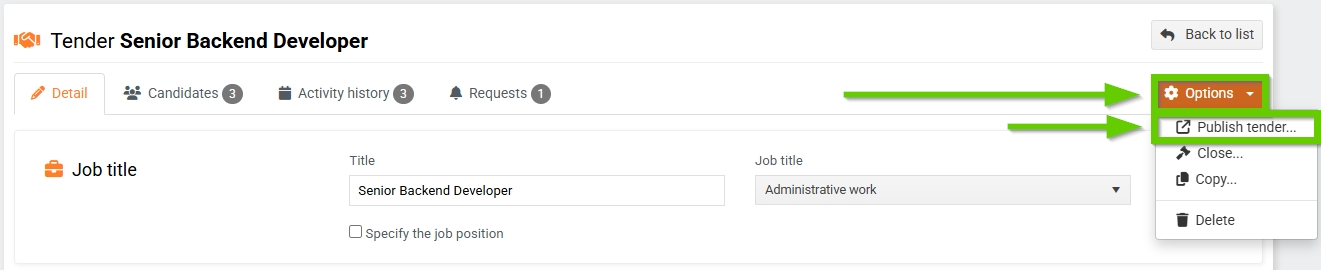
To publish the form, go to the tender detail, click the Options button and select Publish tender... .
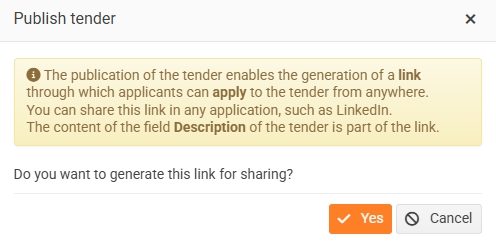
The system will inform you that it will generate a link that you can share anywhere. Through this link, candidates will be able to fill out the form and join the tender.
A link to copy will appear in the header of the recruitment tab. You can paste this link on Linkedin, your website, etc.

The applicant can fill out the form, add a CV and other attachments.
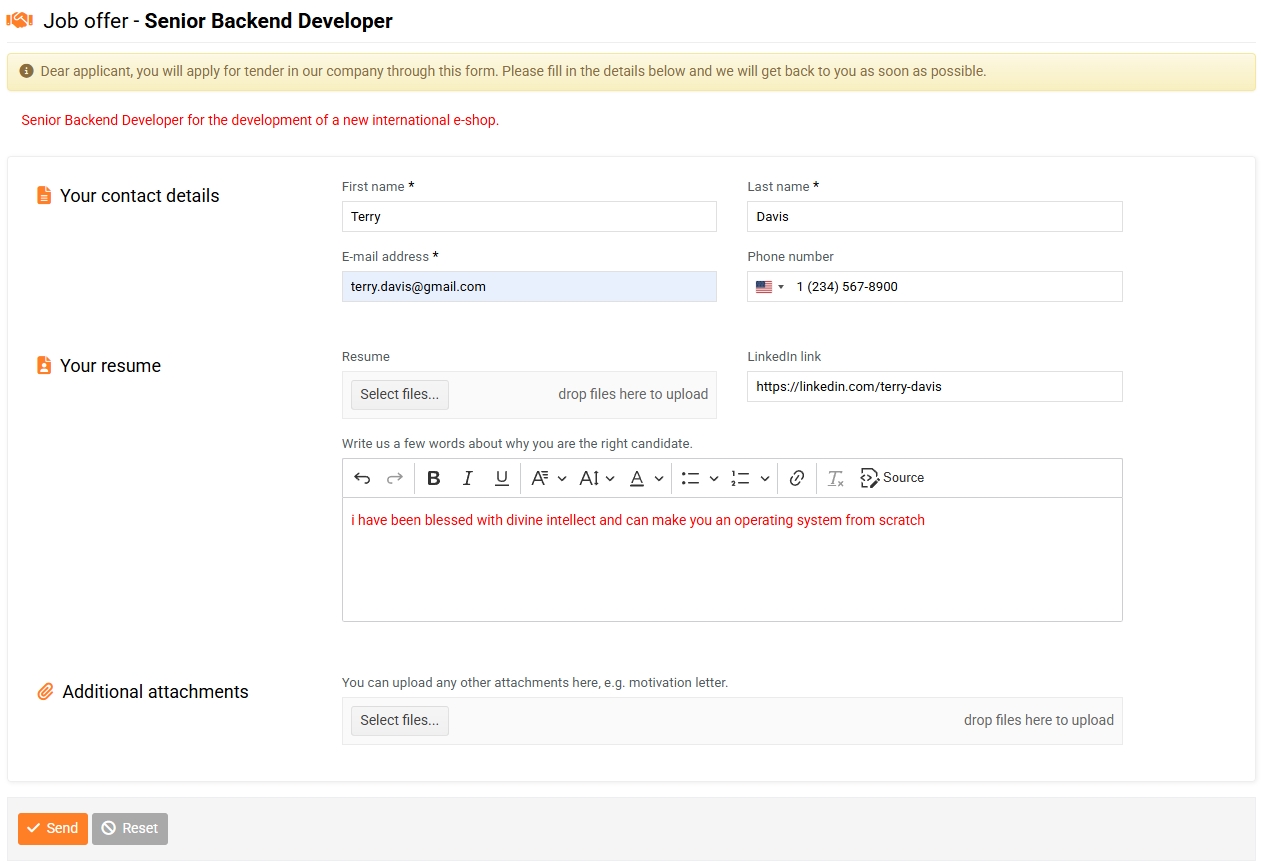
After submitting the completed form, the applicant will receive a confirmation email.

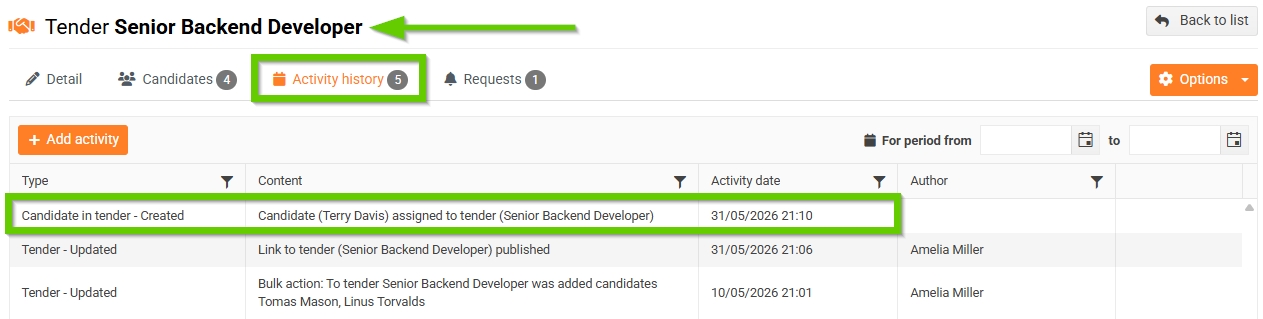
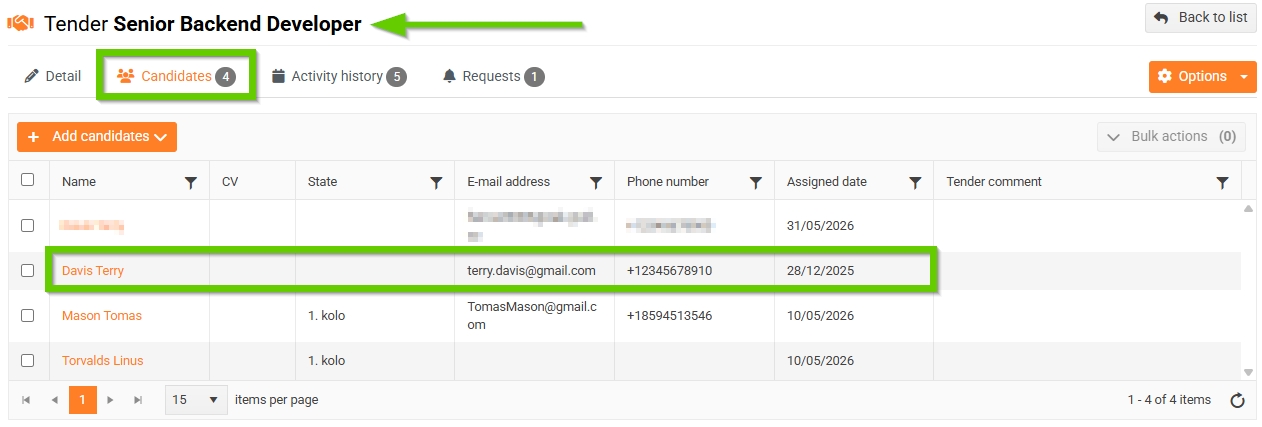
The candidate was automatically added to the list of candidates for the given tender.
You can also verify the addition of the applicant on the Activity history tab.