Supervisor Approval of Evaluation – Initial Phase

If the worker has completed and submitted the evaluation for approval,
The supervisor will receive an email notification and a request asking them to confirm their subordinate's evaluation.
If he finds any shortcomings in the evaluation, he returns it to the employee for completion and approves it only after correction.
Approve the assessment
- Use the link in the email or request to open your subordinate's assessment.
- Check the set goals and employee responses in the appropriate tabs.
- Answer the questions that are intended for you (= your supervisor) at this stage.
- You can add your comment to a subordinate's rating at any time.
- If the rating is correct, approve it by clicking the Approve button.

- After approval, the assessment is in the Approved state and the Ongoing phase begins.
Return for additions and re-approval
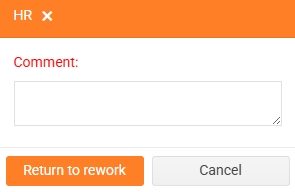
- If the assessment contains inconsistencies, return it to your subordinate for revision using the Return to rework button.

- You must fill in a comment for this action. The comment will be recorded in the Rating History and will also be displayed to the subordinate in the email invitation/request to complete the rating.
- Wait for the subordinate to correct the rating and resubmit it for approval. You will be notified again by email and a request to confirm the rating.
- Check the corrected assessment again and approve/return for additions.
- Repeat the process if necessary until the assessment can be approved.
