The final phase and its start

In the final phase, the evaluation is completed and closed.
The employee and supervisor are informed by email about the beginning of the final phase.
The employee records the final goal completion percentage, answers their questions, and sends the evaluation to their supervisor for final approval.
The supervisor checks the evaluation (if necessary, he can send it back to the employee for revision), records the percentage of goal achievement from his perspective, answers his questions, and finally approves and closes the evaluation.
The final phase can be initiated in two ways:
- Automatically on the day specified when creating the rating.
- Manually before this deadline.
1. Automatic start of the final phase
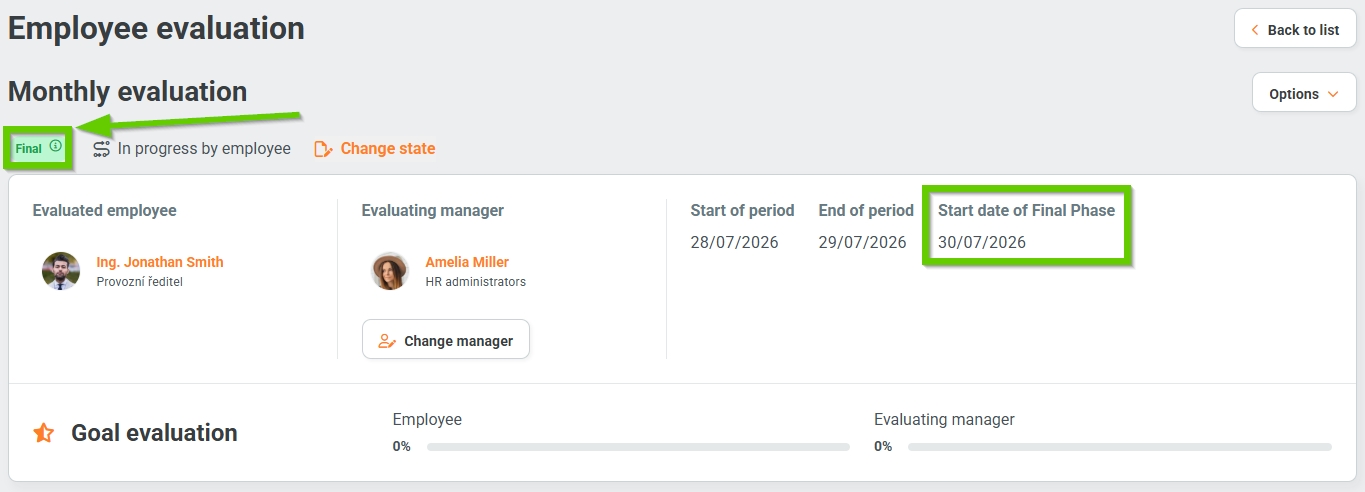
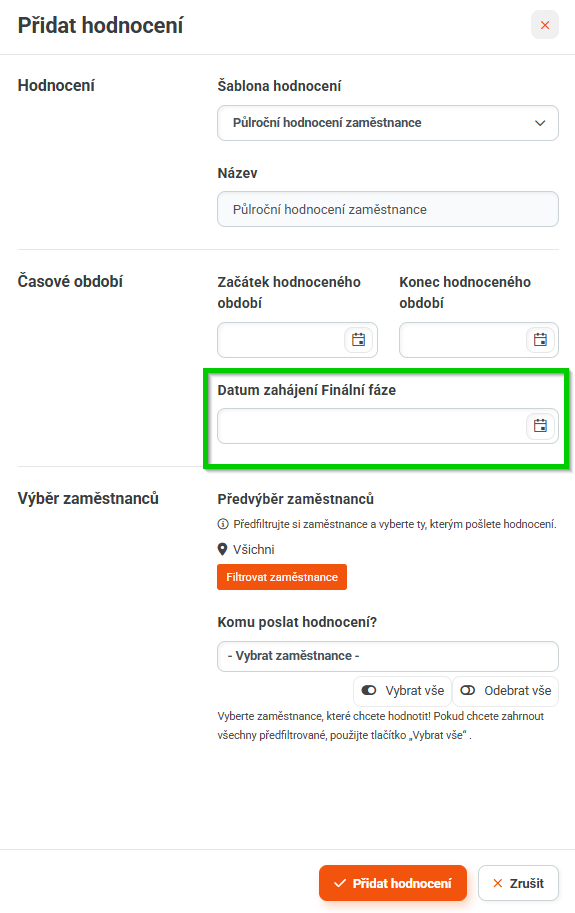
On the day specified as the Start date of Final Phase, the evaluation automatically switches to the Final phase, status is In progress by employee.
2. Manually start the final phase
The final phase can be started outside the predetermined date.
This action is only available to the administrator and HR administrator under the Change state button on the evaluation form.

Then, in the opened form, select the status: Final -In progerss by employee. Save using the Change state button.
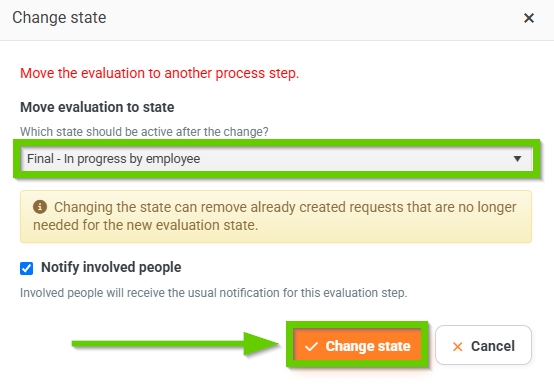
After starting this action, the evaluation switches to the Final phase and the status is Filled in by employee, and the current date (i.e. the day the action was performed) is saved as the Final phase start date.
