Bulk employee changes function

The Bulk employee edits function is used to make bulk changes to a selected group of employees.
It allows you to effectively edit a large number of records without the need for individual editing of each employee.
The function can be used for:
- Creating new milestones
New records will be added to the employees' work history (e.g., conclusion of a new contract, change in salary). - Editing existing data
Both work and personal data in existing employee records will be modified.
You can find the function in the main navigation menu under the Employees > List of employees tab.
Here, click the Options button and then select Bulk changes.
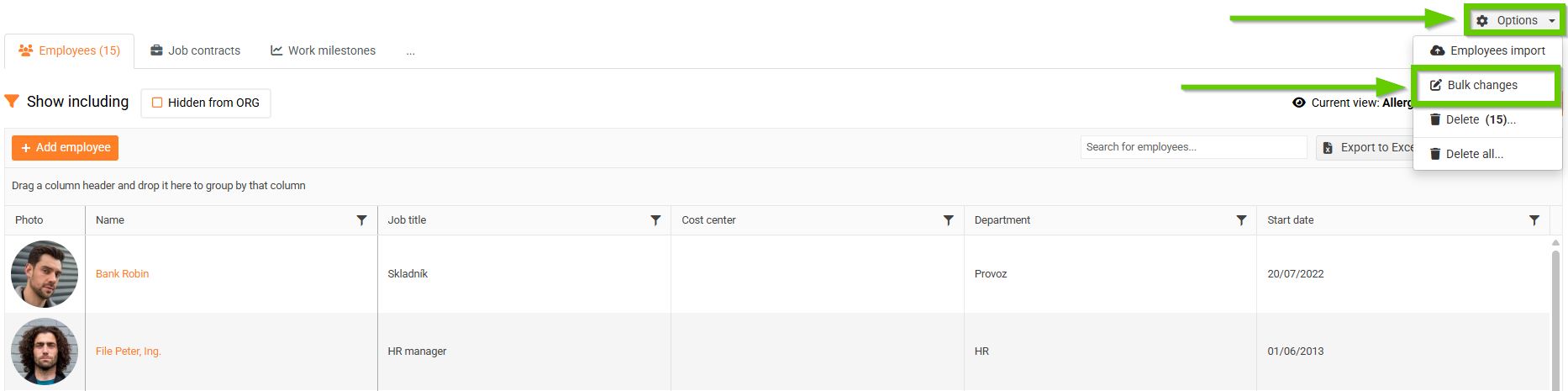
You will be automatically redirected to a page where you can open the bulk edit panel and where a log of the bulk edits made is also available.
To open the bulk edit panel, click the Bulk changes button.
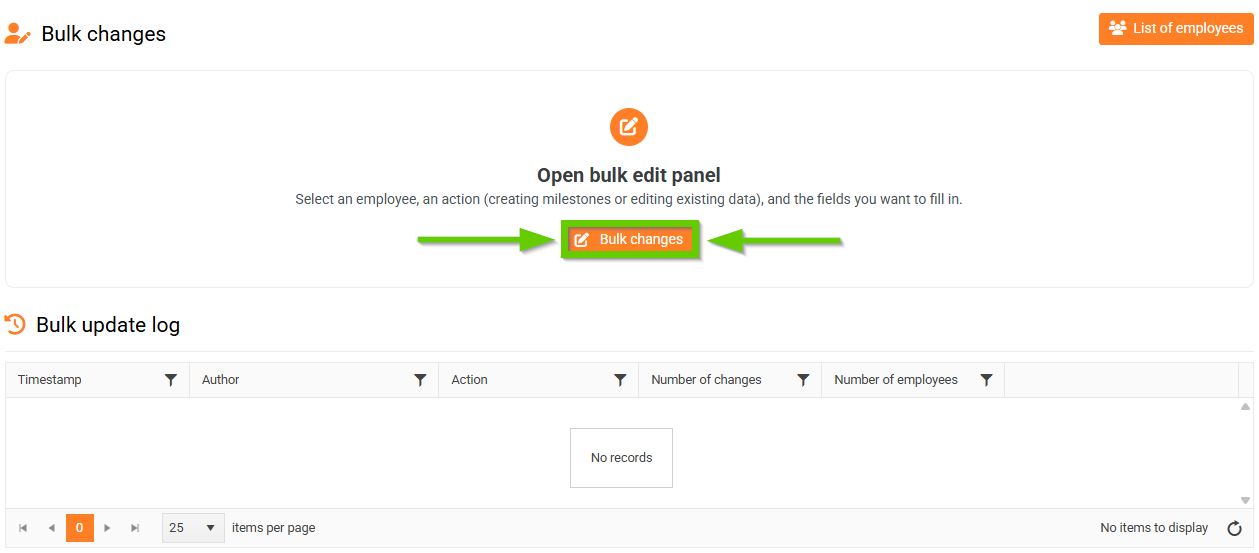
The bulk edit log is used to record individual operations.
The following information is recorded in the bulk edit log:
- date and time of the modification
- the author who made the change
- type of action performed
- number of changes
- number of employees.
After clicking the More information button for the selected log, a complete overview of the operation will be displayed, which includes a list of all employees to whom the change was applied, the number of changes made, and their content.
