Adding a candidate to employees

If you have decided to hire the selected candidate, you can immediately assign them to employees.
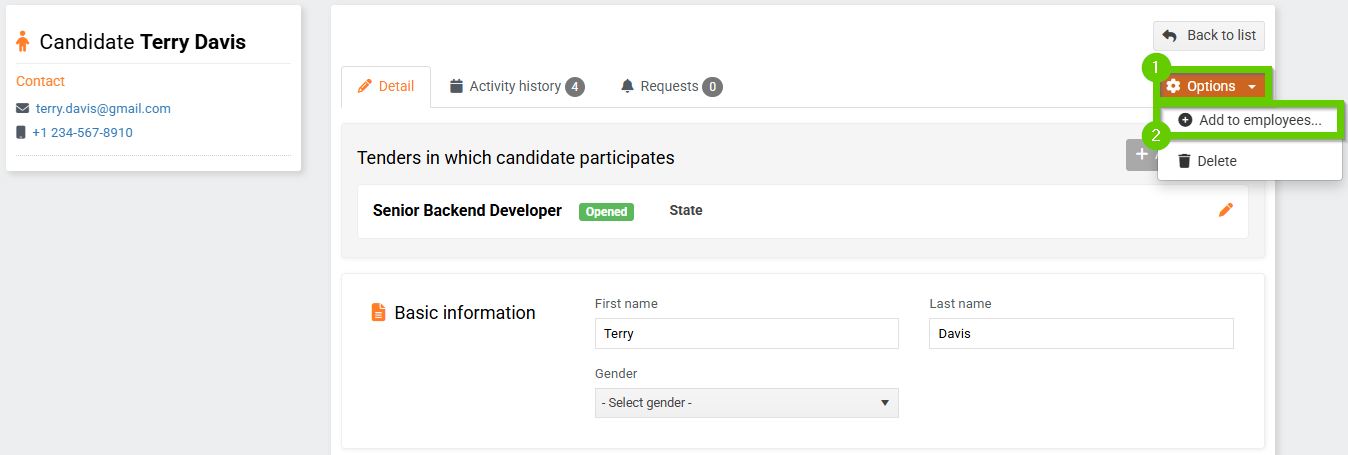
On the applicant's profile, click Options > Add to employees.
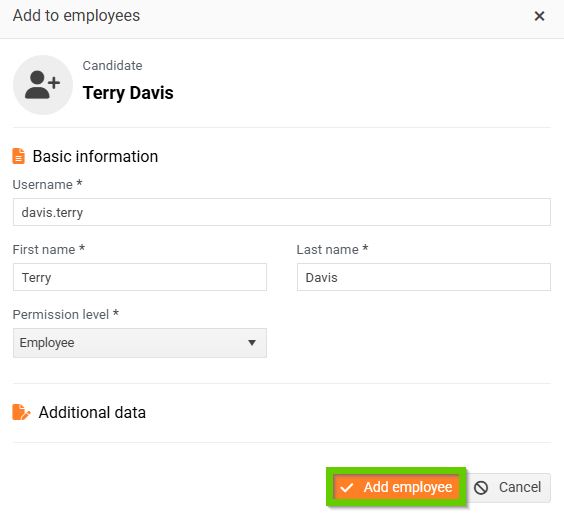
A window will open with a form for adding a candidate to your staff. Fill in the required information and then click the Add employee button.
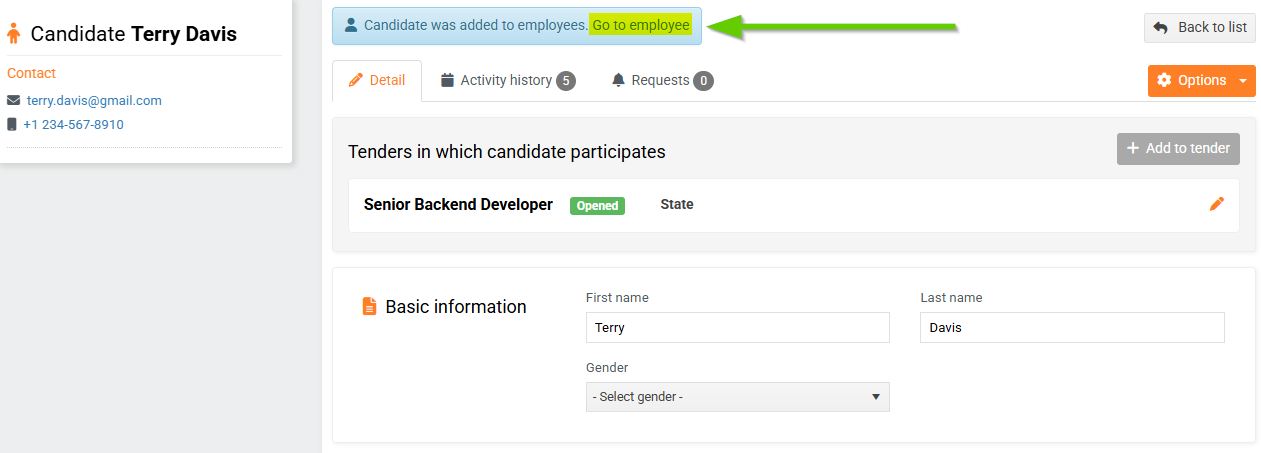
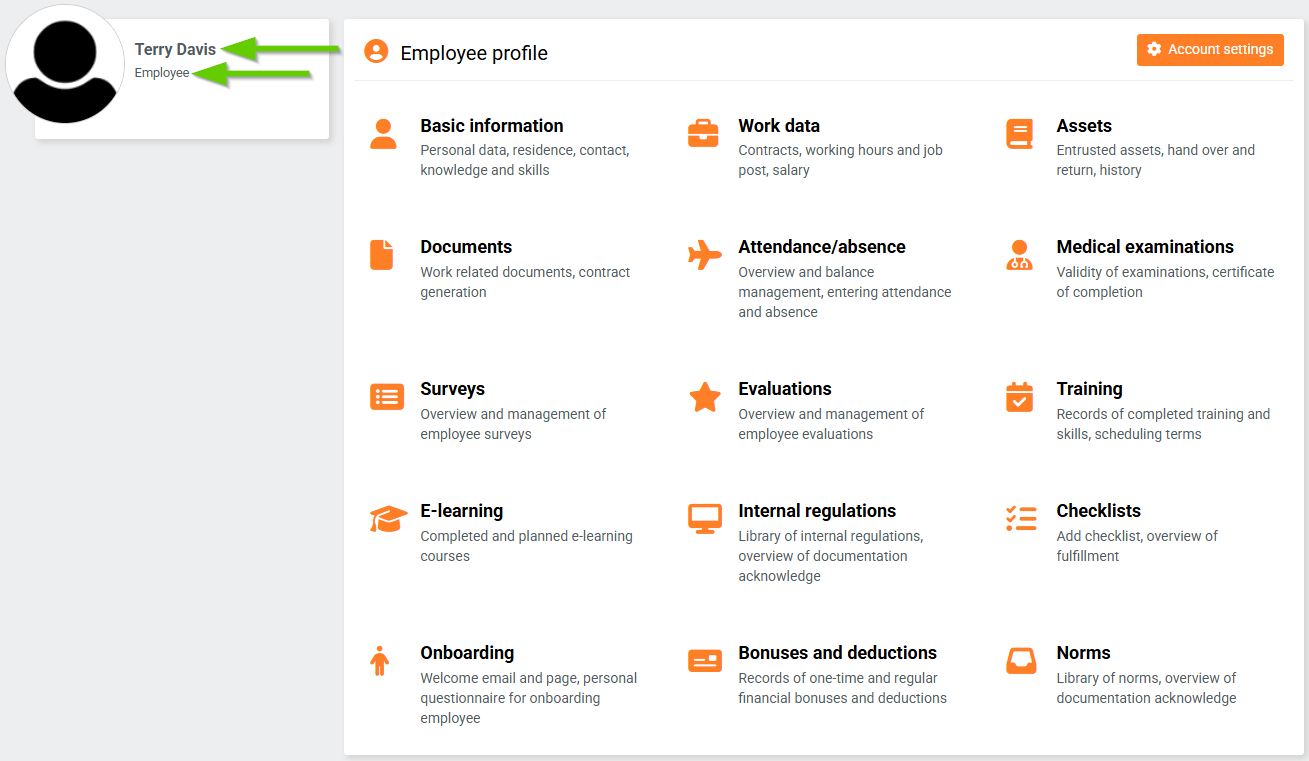
After creating a new employee, a notification will appear on the applicant's profile that the applicant has been created as an employee. If you click Go to employee, the system will redirect you to the new employee's profile.