Login with HR identity

If you have SSO login enabled (hybrid or external only), it will appear on the employee profile
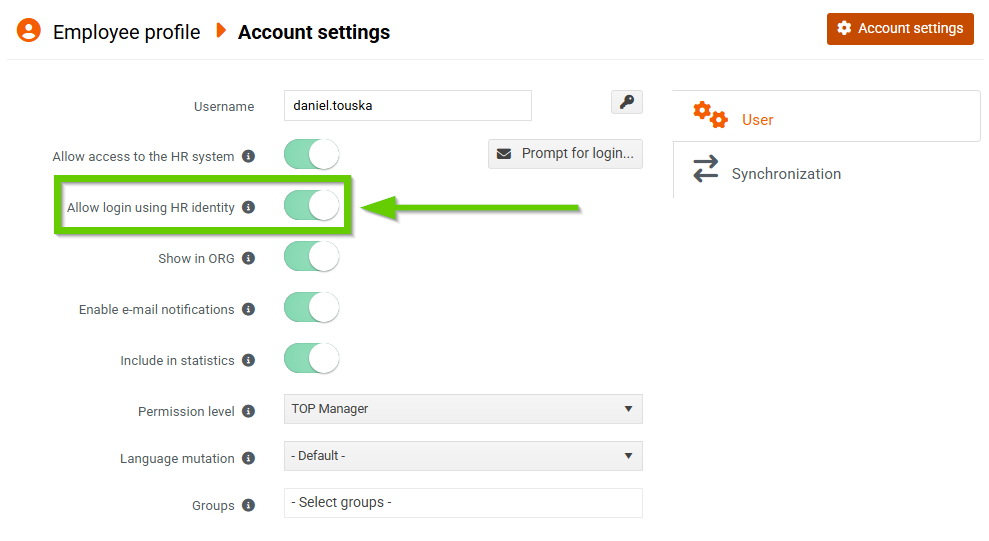
in the account settings, select the Enable HR identity login switch.
This switch determines whether an employee can log in using their HR identity (username and password).
For newly created employees, the switch is off by default.
This applies to employees created:
- manually
- by import
- from the applicant
Hybrid login
Switch off
If the switch is off, the user can only log in using the SSO button (Microsoft or Google).
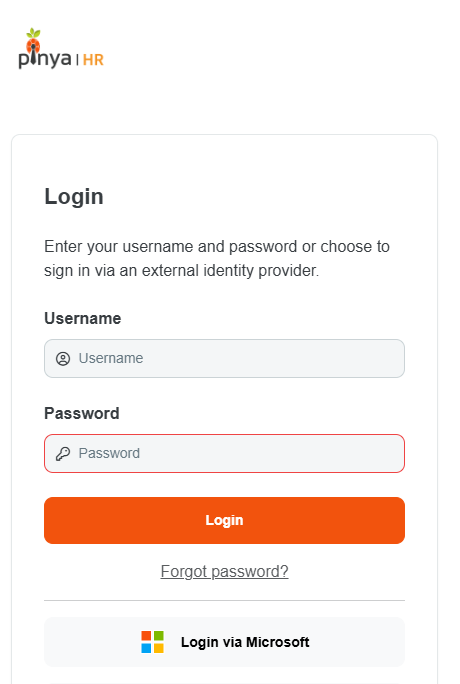
In hybrid login mode, the user on the login page:
- sees the SSO button and the form for logging in with a username and password
- but logging in with username and password doesn't work
- password recovery doesn't work either.
Switch on
If the Enable HR Identity Login switch is on (green), the user can log in:
- using HR identity
- or using the SSO button.
External login
If you are using only external login, the switch is displayed, but its state does not affect system behavior.
Only SSO logins are always displayed on the login page.
