Setting up a welcome email

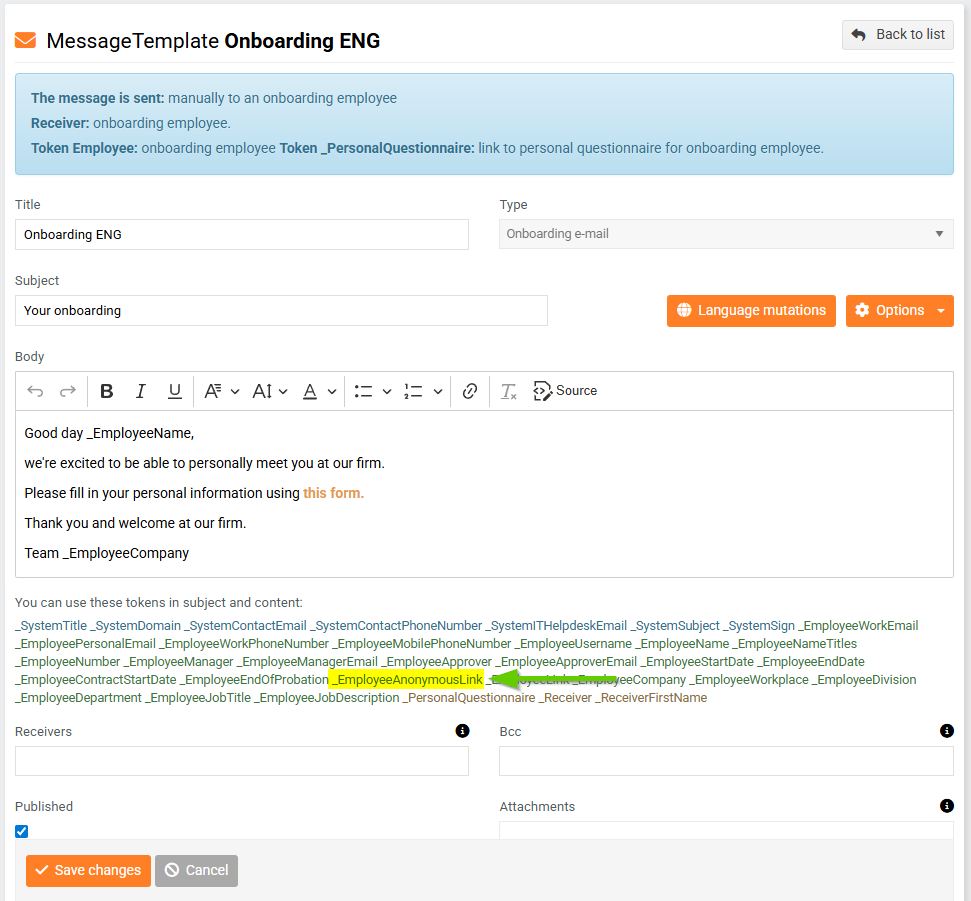
Before an employee starts work, you can send your future colleague an introductory email with a link to an online personal questionnaire.
After filling it out, the future employee's data will be automatically transferred to their profile in PINYA HR.
Creating a new template
You can find the procedure for creating a new onboarding email template here.
Editing an existing template
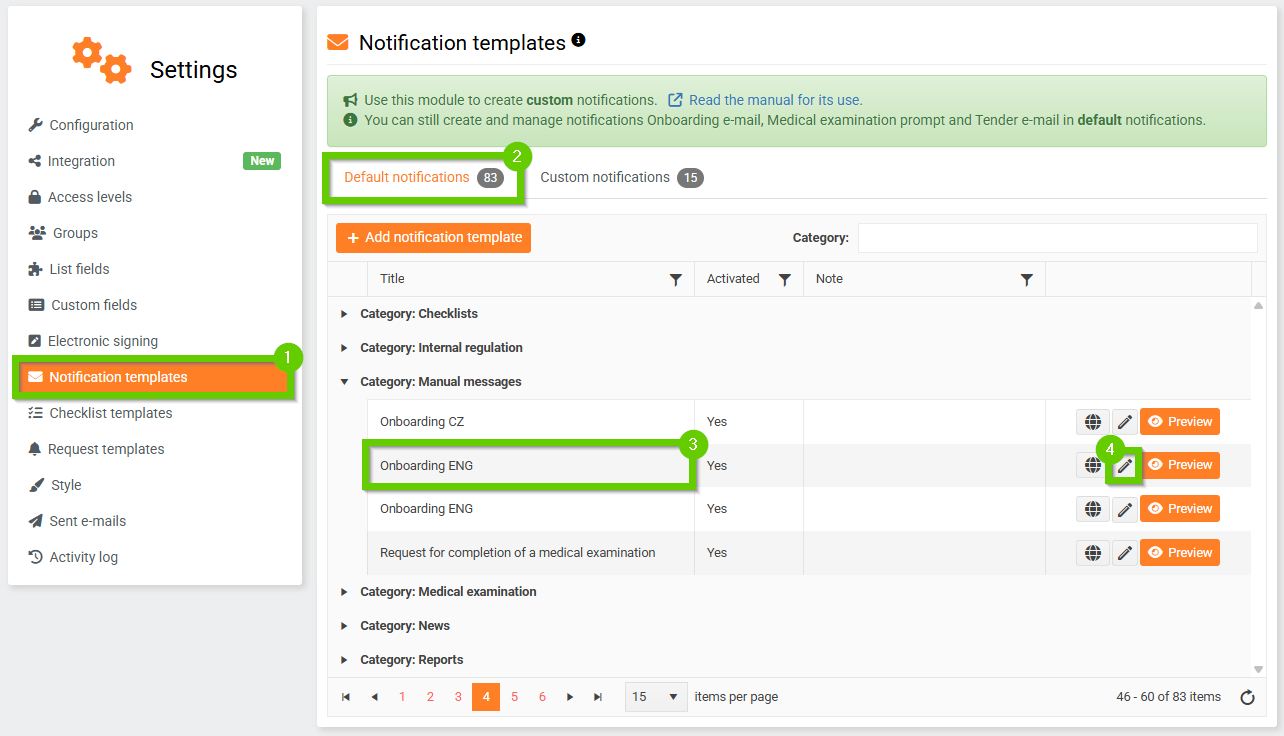
- To edit the onboarding email template, go to System settings by clicking the wrench symbol in the top black bar. The onboarding email template can be found on the Notification templates tab (1) in the Default notifications tab (2) in the Manual messages category (3). To edit the template, click the pencil icon (4).
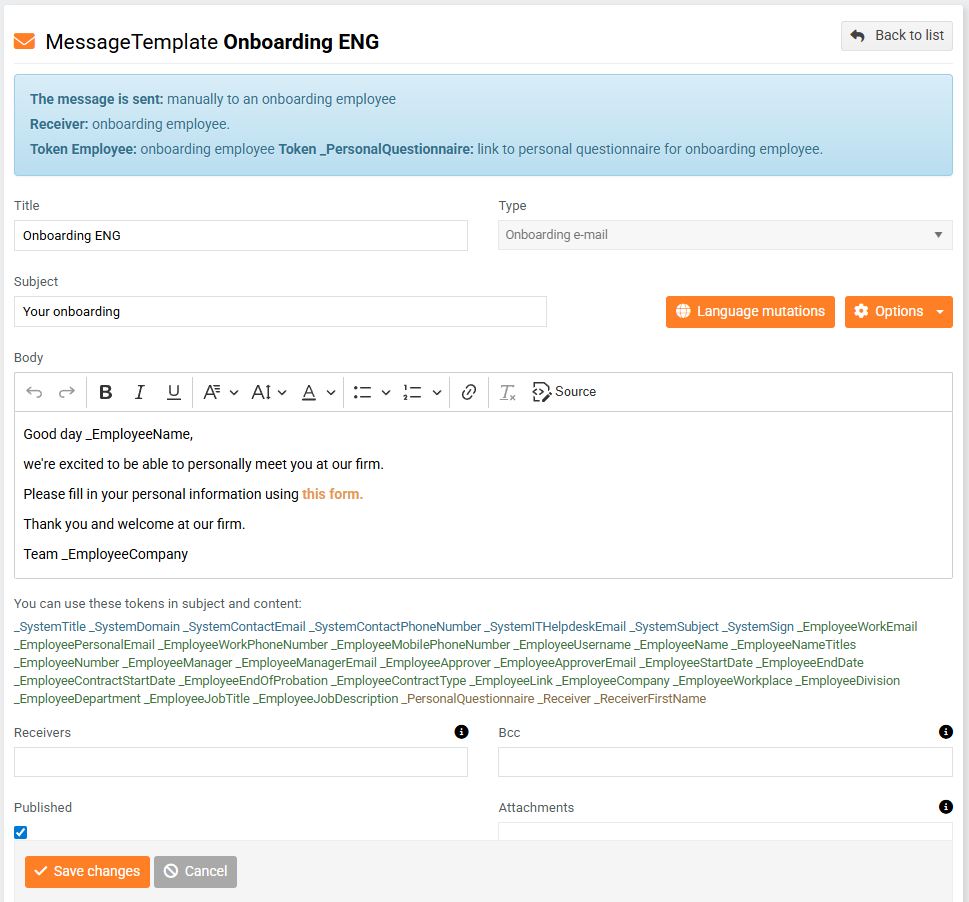
- Within the onboarding email template, you can specify its subject, attachment, medical examination form, etc.
- You can insert an employee's anonymous link into the text of the email, which will display the employee's personal questionnaire after the email is sent.