Evaluation - the manager responds and the employee does not see it

A scenario where an employee is evaluated by their manager and the employee cannot see this evaluation.
1. Template settings
Only questions for the manager are added in the template for which the Visible to employee switch is inactive.

For detailed information on how to create a new template, see the article Creating a new template.
2. Evaluation process
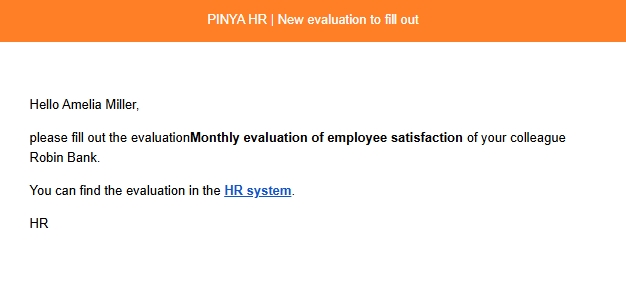
- The manager who is supposed to complete an employee evaluation will receive a notification to their email address containing a link that will redirect them to the evaluation page.
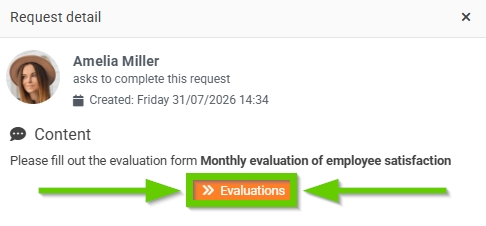
- At the same time, a request for the manager to complete the evaluation is automatically created. Clicking the Detail button opens the request details.

If they click the Evaluations button in the request details, they will be automatically redirected to the evaluations page.
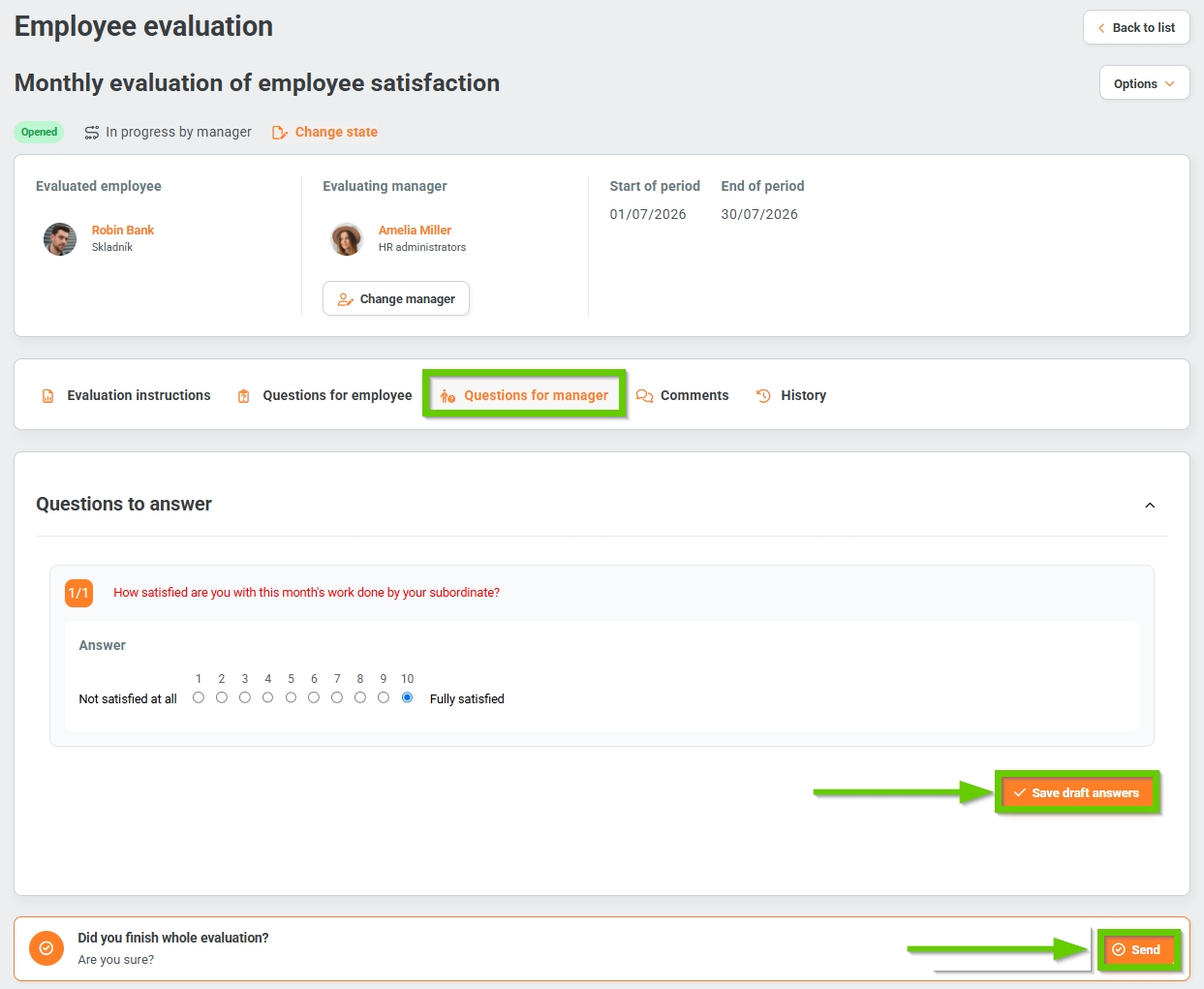
- The Employee Questions tab remains empty in this case.
- On the Manager Questions tab, they answer the questions. If they click the Save draft answers button, they can return to the assessment at any time and edit or add to it. The employee to whom the assessment applies does not see these questions or their answers, as indicated by the crossed-out eye icon at the end of each question.
- On the Comments tab, you can add a comment or add a top comment, i.e. it will always appear first - see the Top comment article.
- On the History tab, the system automatically records all actions related to the given assessment.
- After completing the entire evaluation, the manager clicks the Send button. A notification appears that must be confirmed. The evaluation is in the Closed phase and in the Completed status.
