Managing personal questionnaire types

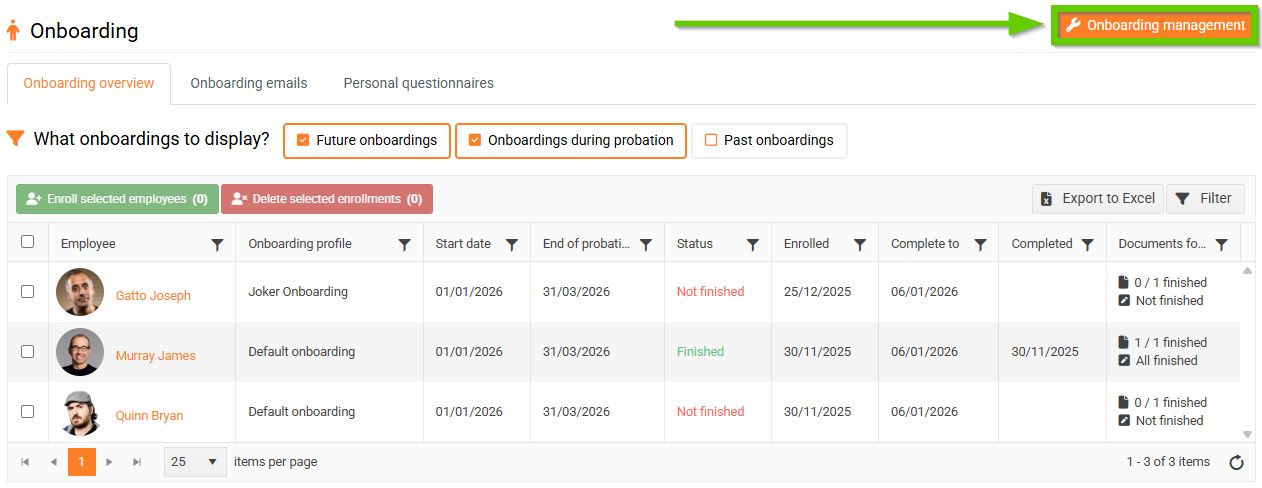
To mange personal questionnaire types, in the main tab go to HR > Onboarding.
Then click on Onboarding management in the top right corner.
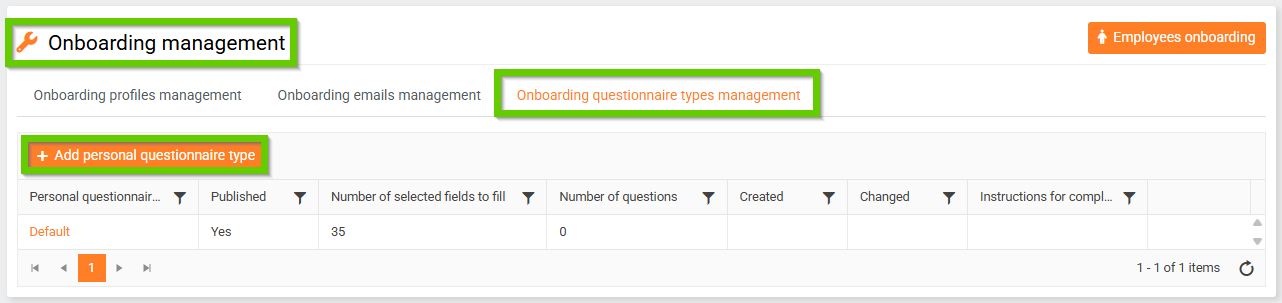
Then click on Onboarding questionnaire types management.
1. Adding a new type of personal questionnaire
To add a new personal questionnaire type, click the button on the Onboarding questionnaire types management tab.
Add a personal questionnaire type.
Then use the radio buttons to select which fields will be in the personal questionnaire and whether they will be mandatory or not.
First name and Last name are set to appear in the questionnaire by default and are mandatory. This setting cannot be changed.
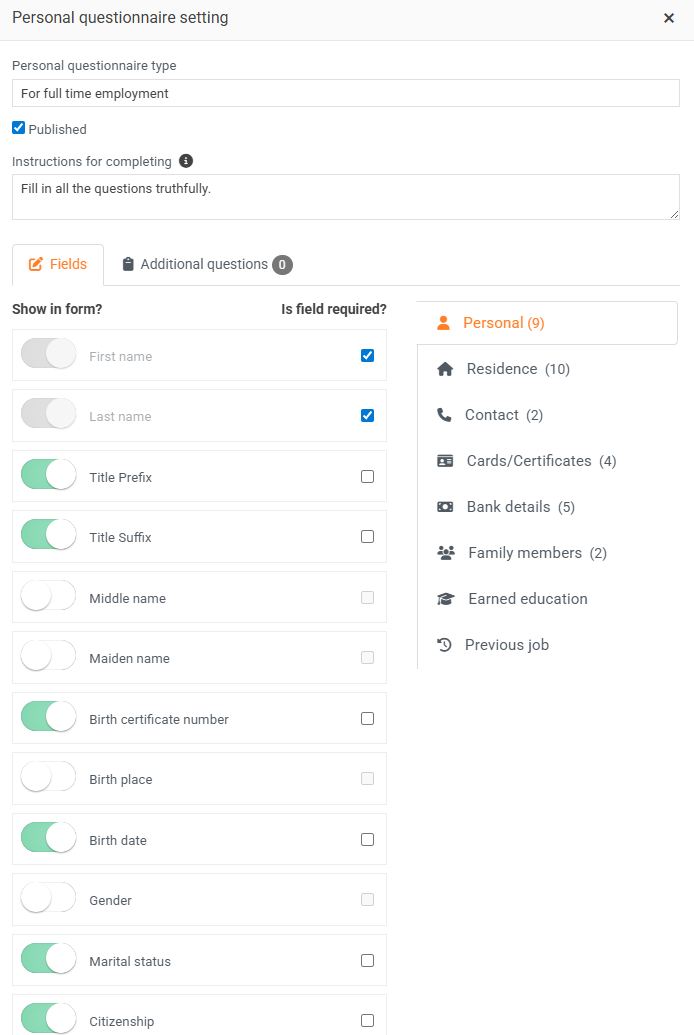
After saving, you can use the More Questions tab to create questions for the new employee that you want to get answers to before they join the company.
2. Modifying the personal questionnaire type
You can edit already created personal questionnaire types by clicking on their name. Don't forget to save the changes you made.
3. Deleting a personal questionnaire type
Already created personal questionnaire types can be deleted by clicking the cross icon.
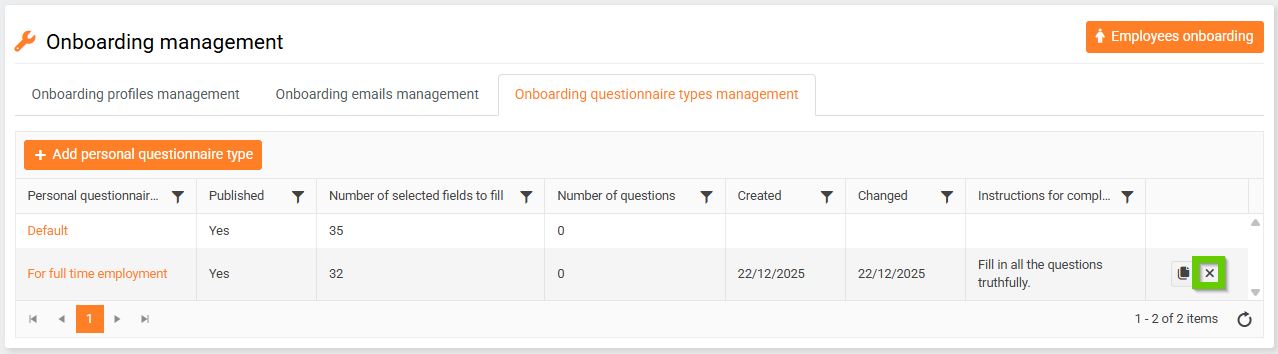
A warning will then appear. After confirming it, the personal questionnaire type will be deleted.
4. Copying
To copy a personal questionnaire type, click the copy icon.
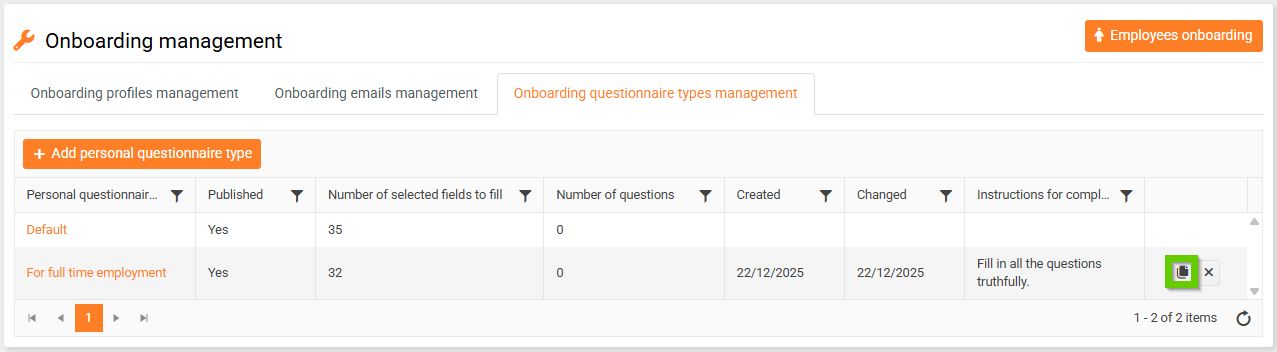
A warning will then appear. After confirming it, the personal questionnaire type will be copied.
