Familiarizing employees with internal regulations

Affected employees who are required to familiarize themselves with the regulation will receive a notification to their email address,
which contains a link that redirects them directly to the regulation in question.
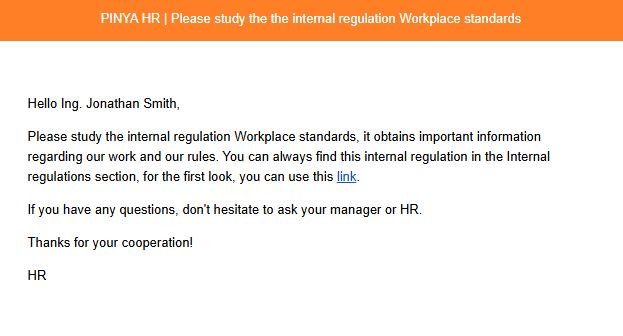
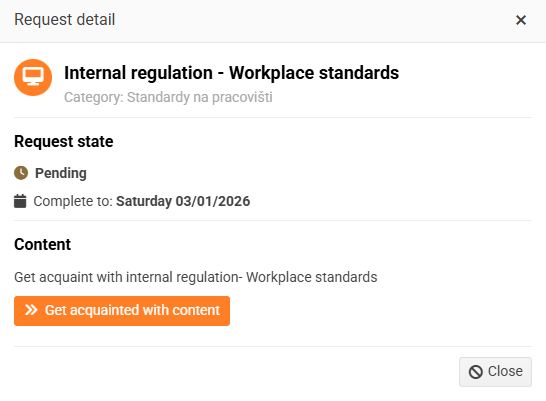
At the same time, a new requirement will be created for them. This only applies to regulations that the employee is obliged to familiarize themselves with.

The request detail includes a button called Get acquainted the content , which redirects the employee directly to the given regulation.
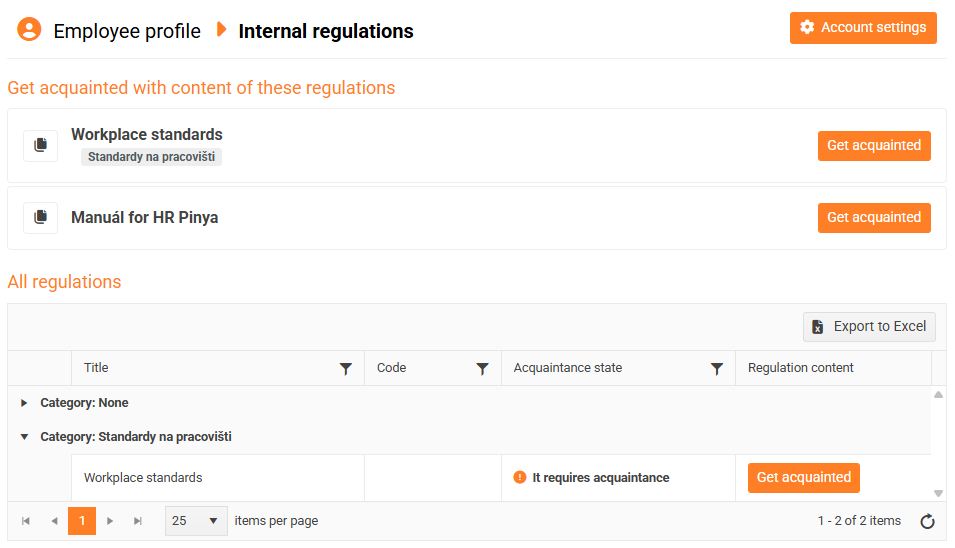
The internal regulations section is divided into 2 parts:
- Familiarize yourself with the content of these regulations - It only contains regulations that the employee is required to familiarize himself with
- All regulations - includes regulations to familiarize yourself with, but also regulations that you only need to look at
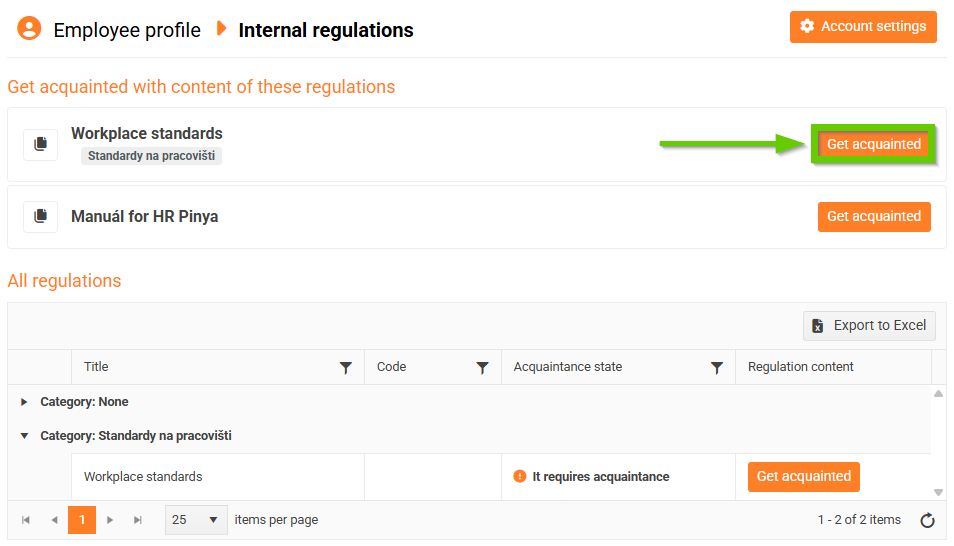
Regulations requiring familiarization
- Click the Get acquainted button (either in the Get acquainted the Content of These Regulations section or in the All Regulations section).
- A window with the regulation content will open.
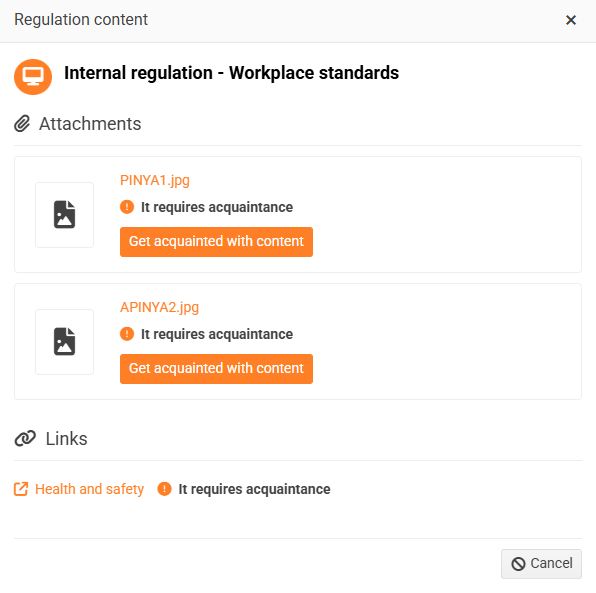
- In the Attachments section, click the Read the contents button. A window with the attached document will open. After reading it, confirm that you have read it - the I confirm acquaintance button. Do this for all documents.
- In the Links section, click on the attached links. The link will automatically open in a new tab. After familiarization, I confirm acquaintance buttons will appear next to each link.
- After you confirm that you have read the attached documents and links, the date of reading will be displayed.
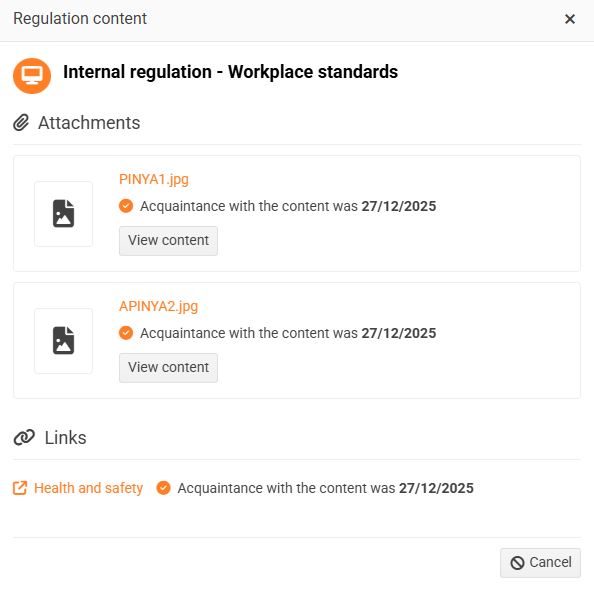
- The regulation is now only in the All regulations section, and you can view it again at any time.
- The regulation is in the Accepted status.
Regulations for viewing only
- Click the View content button (in the All Regulations section).
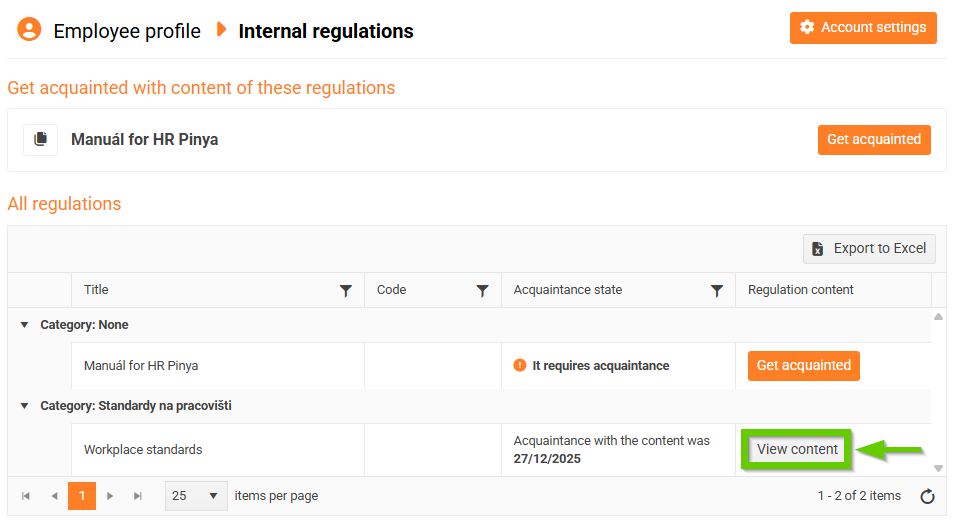
- A window with the regulation content will open.
- In the Attachments section, click the View Contents button. A window with the attached document will open.
- In the Links section, click on the attached links. Each link will automatically open in a new tab.
