Access and authorization to the tender

So that your colleagues who do not have administrator privileges can also access the selection process in PINYA HR,
it is necessary to set up access for them to individual selection procedures.
First, go to the main system settings > Access levels > Permissions.
Then select the permission level for which you want to set permissions.
Then go to the Recruitment section and enable the required fields.

If you only enable the View by access option, you still need to set the selected employee's access to a specific recruitment process. There are 2 ways to do this:
- On the Recruitment tab, click the Recruitment management button > Set access to tender. In the window that opens, select the employee and the recruitment procedures to which you want to grant access.

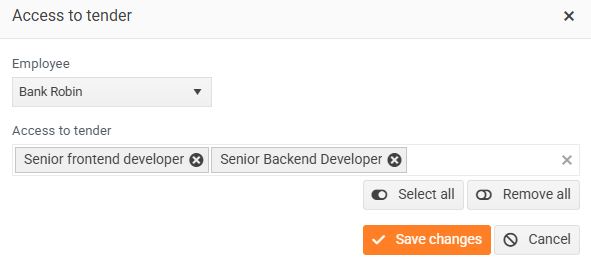
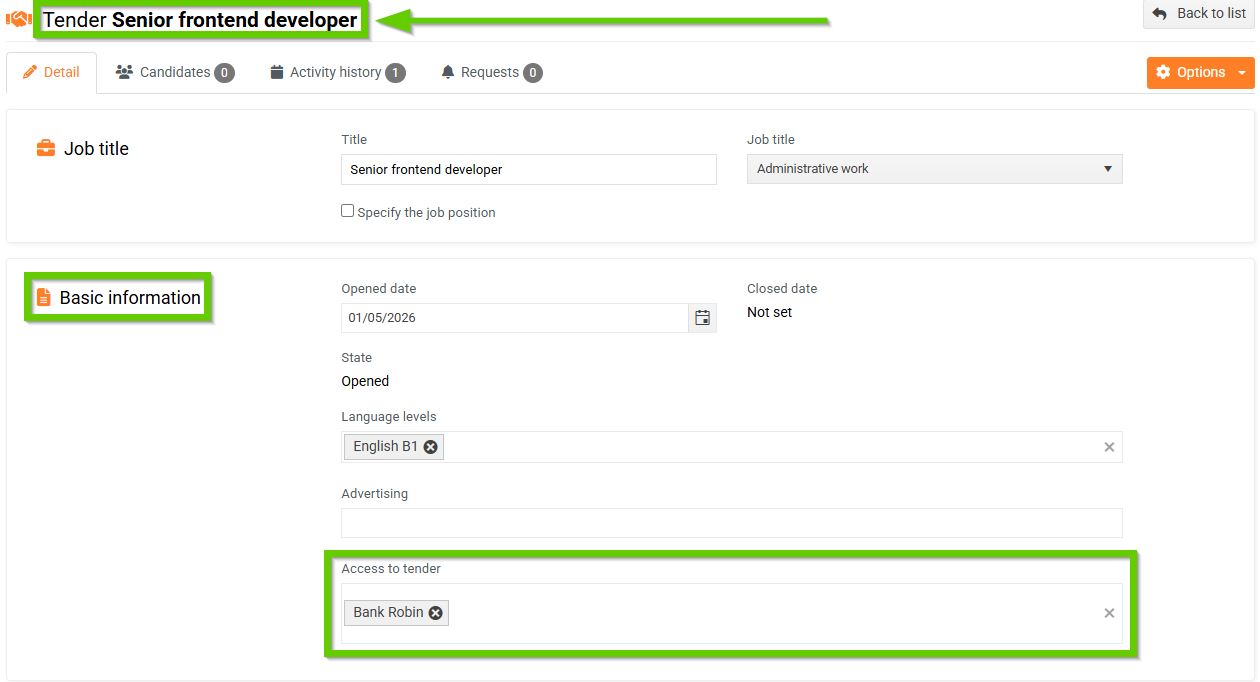
- Go to the Detail section on the selected tender card > Basic information section > Access to tender field and enter the employees you want to grant access to the selected tender here.
An employee with this permission set can only see the selection procedures to which they have access. They cannot edit the selection procedure details or add applicants. They can only add activities and requests.
