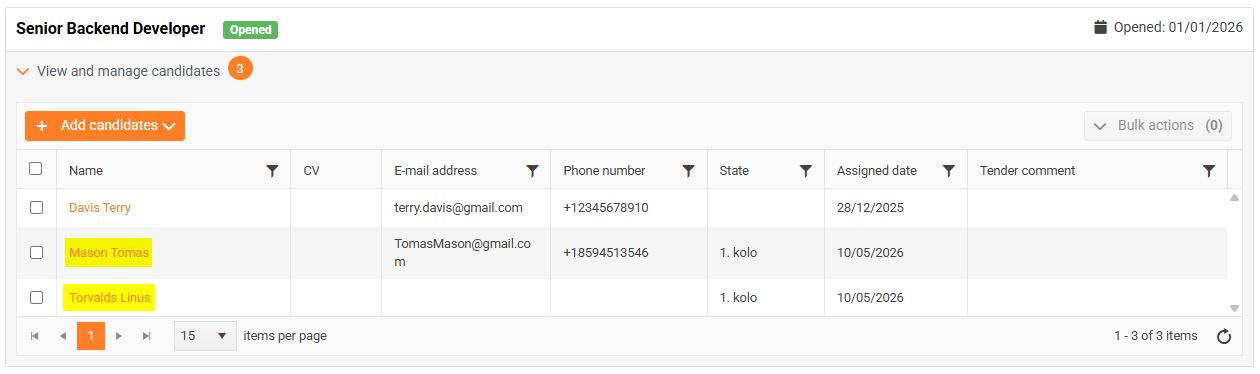
Adding a candidate to the tender from existing candidates

If you want to add a candidate who already exists in the system to the tender,
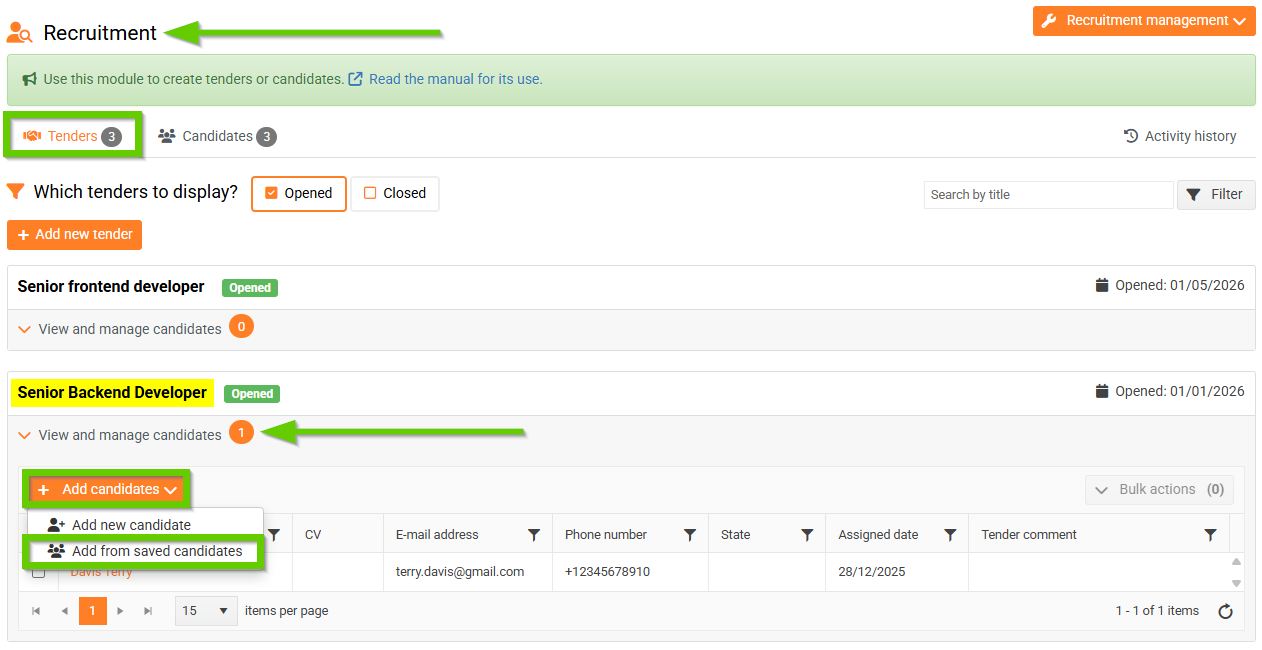
Go to the HR > Recruitment > Tenders tab on the main panel.
Then select the tender to which you want to add a new candidate and click
View and manage candidates, and then click Add candidates > Add from saved candidates.
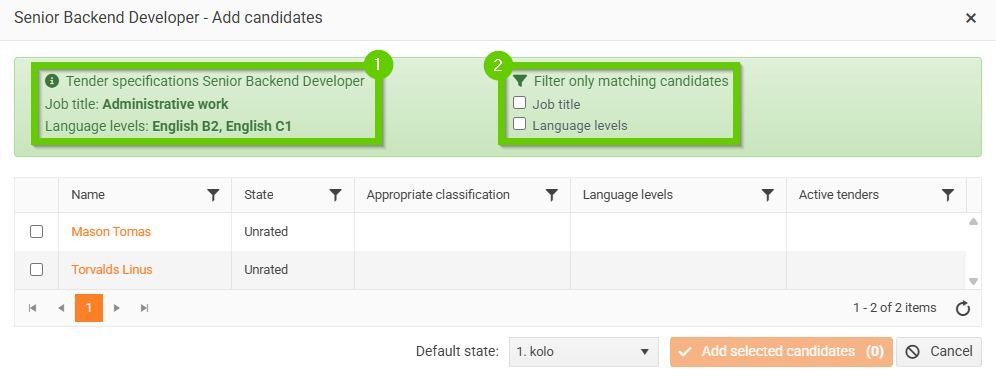
A window will open with a list of all candidates who are already registered in the system and are not assigned to the selected tender. The specification for the selected tender (1) is also displayed here. Checkboxes (2) are also displayed according to these parameters, which allow you to filter among candidates.
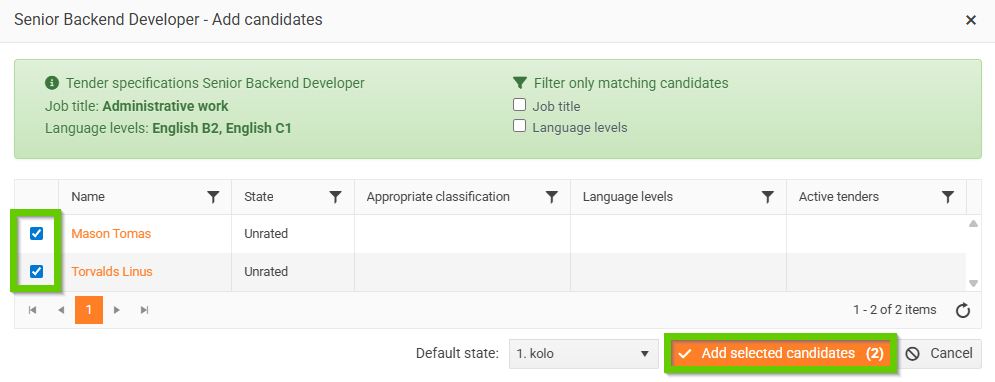
Select the selected candidates, select the default state, and click the Add selected candidates button.
Newly added candidates will automatically appear in the list of candidates for the selected tender.