Activating add-on modules

You can start activating additional modules in our customer portal - Admin panel.
You can enter the Admin panel by clicking through from the Pinya HR application.
You can find it under the Customer account option in the drop-down menu on the main (black) bar.
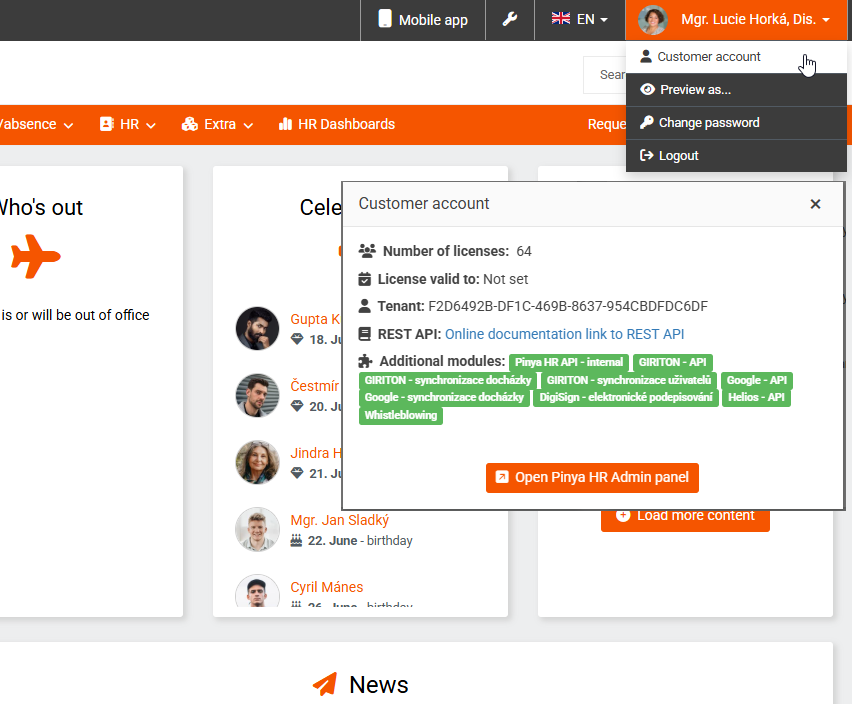
You must have Administrator permission level for this action.
In the Admin panel, go to the My account section.
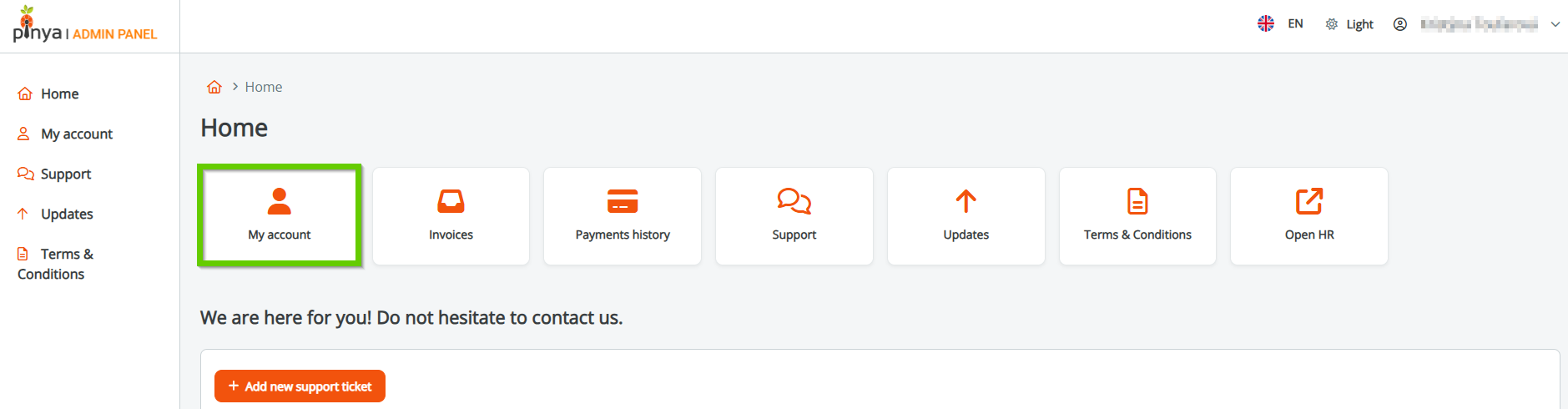
And then click on the Modules tab.
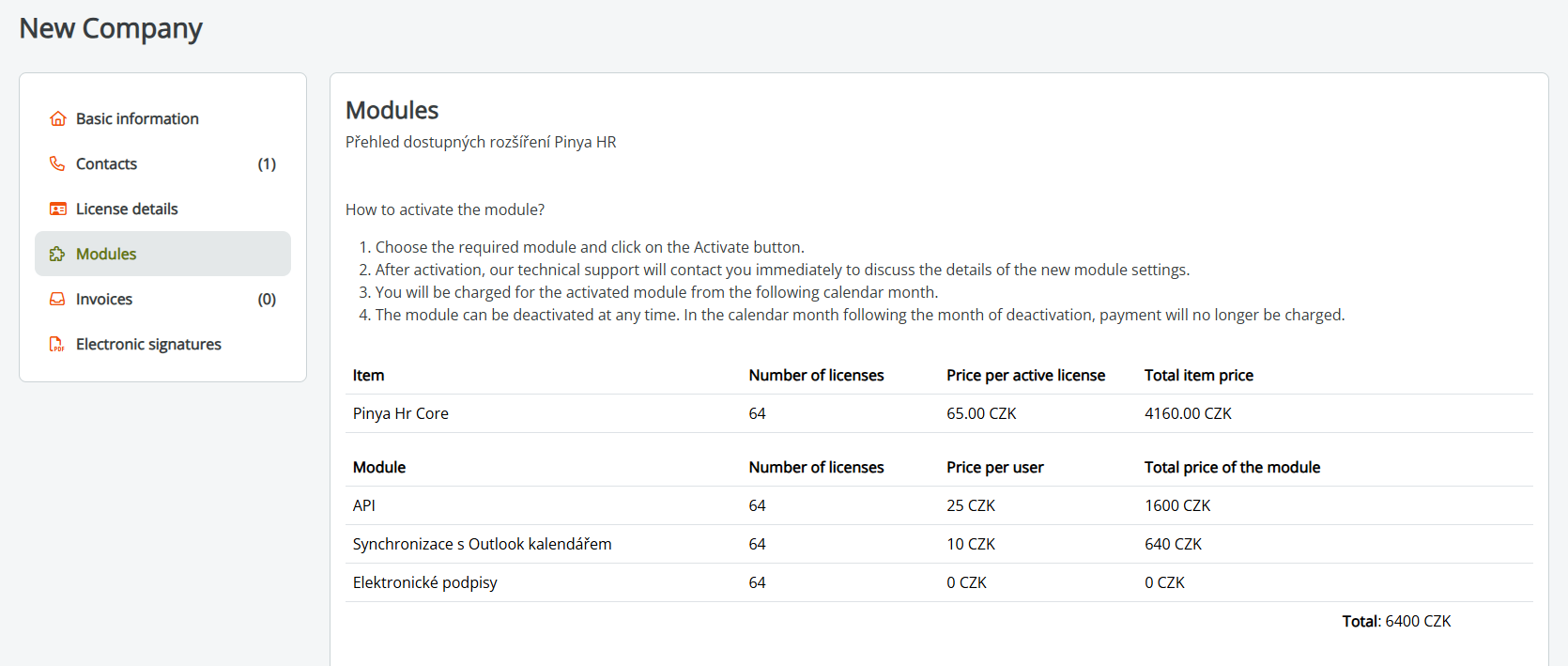
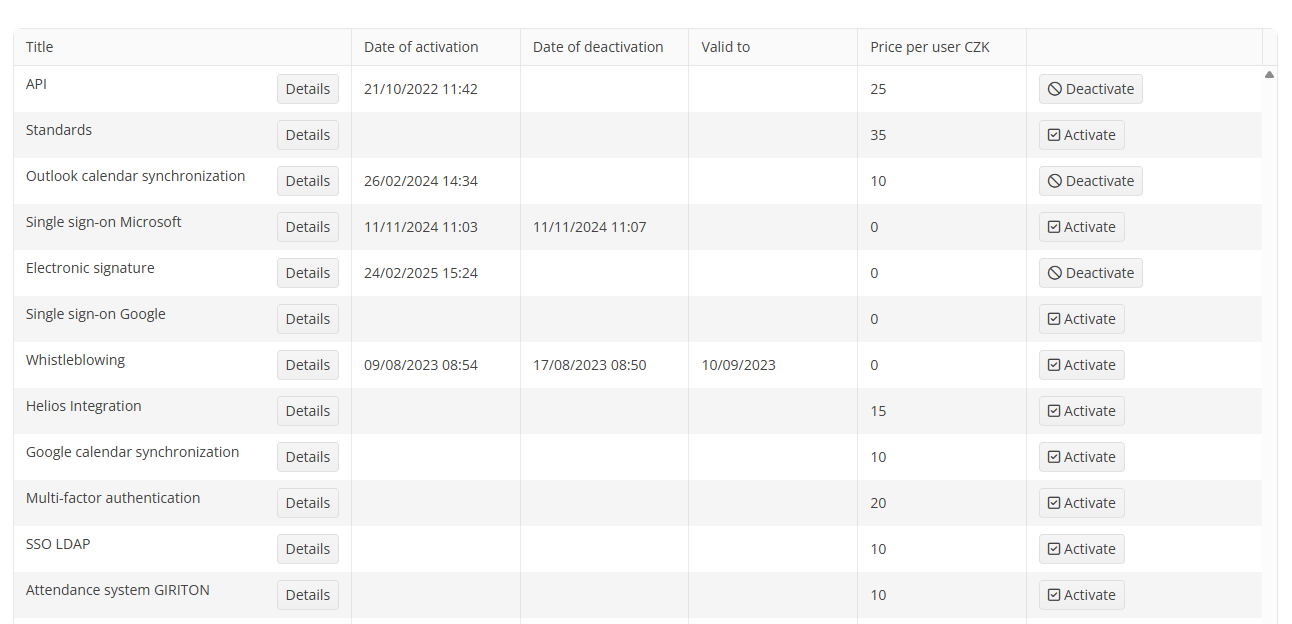
Then follow the displayed instructions on how to activate the module?
- Select the desired module and click the Activate button.
- After activation, our technical support will contact you immediately and discuss the details regarding the settings of the new module.
- You will be charged for the activated module from the following calendar month.
- The module can be deactivated at any time. In the calendar month following the month of deactivation, the license payment will no longer be charged.
