Reporting hours worked

A worker with a DPP/DPČ contract reports hours worked using the attendance type DPP/DPČ Work,
which can be found in the main menu under Attendance/absence > My attendance/absence.
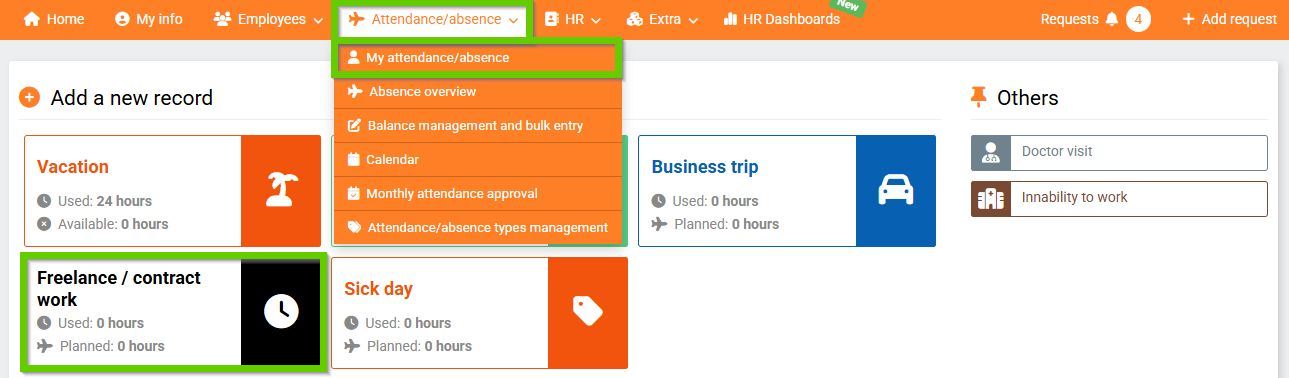
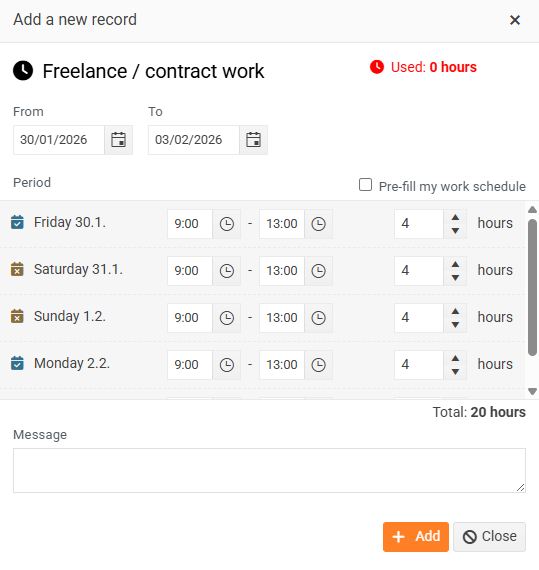
After clicking the DPP/DPČ Work tile, a window opens where the user can enter the hours worked.
After saving, the record is displayed in the Record history.

